Google Business Profile Description: 9 Best Writing Tips
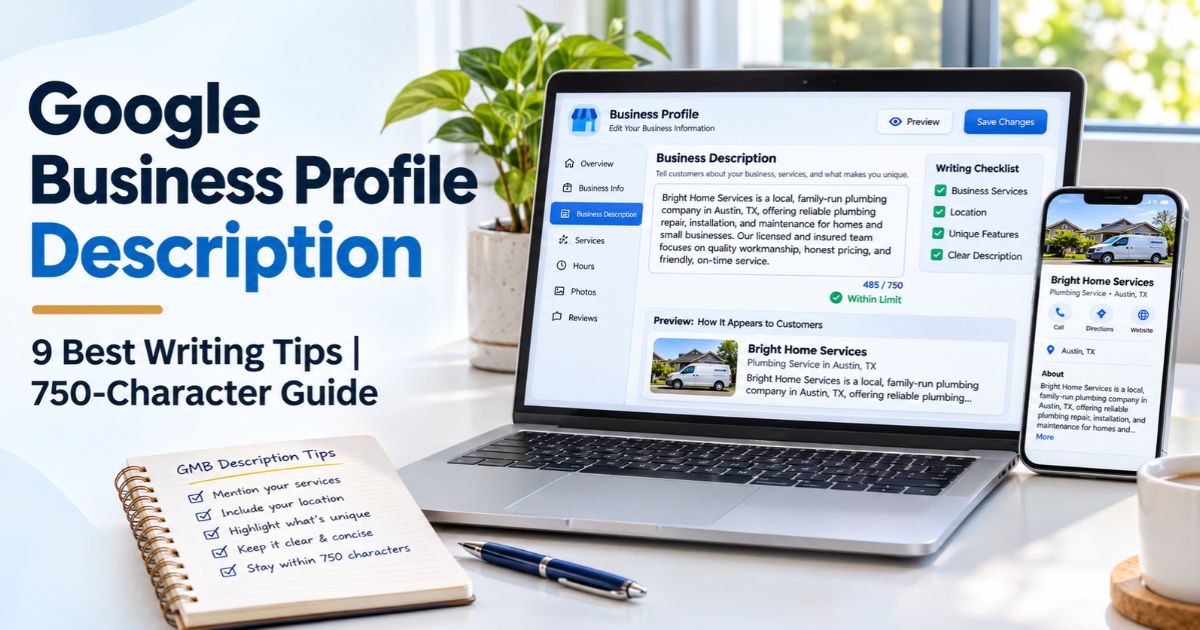
Google Business Profile description is the business-written introduction that helps potential customers understand what a company offers and why its services may be relevant. It appears in the “From the business” section of an eligible Google Business Profile. A useful description can clarify services, experience, and genuine differences, but it is not a shortcut to guaranteed Google Maps rankings.
Google limits this field to 750 characters and asks businesses to focus on useful, truthful details instead of links, sales pitches, or price promotions. That is enough space for a concise introduction, not a complete company brochure. The key is to decide what a customer needs to know before they call, visit, or book.
This guide explains nine practical writing tips, examples for different business types, a character-count workflow, and the current editing process. For broader context, see the Local SEO guides and our local search intent resource.
Key Takeaways
- The official Google Business Profile description limit is 750 characters, including spaces and punctuation.
- Describe real services, products, history, and distinctive features that customers can verify.
- Do not insert website URLs, HTML tags, coupon codes, misleading offers, or keyword-stuffed location lists in the description field.
- Put the most useful information early for readers, but do not treat a supposed “first 250 characters” display rule as an official Google requirement.
- Make business coverage and specialties accurate rather than inventing offices, qualifications, or delivery areas.
- Edit the field through the verified Business Profile, review the submitted text, and check whether Google accepts the change.
- Use the description as one part of a complete local presence; local results also depend on relevance, distance, and prominence.
What Is a Google Business Profile Description?
A Google Business Profile description is a short, owner-provided summary of a business. It helps people recognize the type of company they are viewing, understand its main offerings, and identify important details that distinguish it from alternatives. Google presents it separately from structured fields such as name, business category, opening hours, address, and phone number.
The description is optional, but it can be useful when a person is comparing similar businesses. A customer might want to learn whether a repair service handles commercial equipment, whether a clinic offers a particular type of appointment, or whether a bakery makes its products on site. Clear answers build understanding without overpromising what the profile can accomplish.
Unlike a website meta description, the Google Business Profile description is not a search-snippet tag that an SEO plugin inserts into a webpage. It lives within the business listing and follows its own content rules. An accurate website and useful local landing pages should support the information, rather than contradict it.
Google’s Official 750-Character Rules
Google says the entire business description must stay within 750 characters. It should explain what the business offers, what makes it distinctive, its history where relevant, and other details that help potential customers. Google also says to avoid URLs and HTML code, and to focus on the business rather than promotions, sales, or prices.
The official Google Business Profile editing documentation states those field requirements. The companion business representation guidelines also prohibit links in the description and warn against low-quality, irrelevant, or distracting text. These are rules for the profile description field, not a restriction on links in an educational blog article discussing it.
Google does not publish a universal requirement that only the first 250 characters matter. Different interfaces may truncate visible text or offer an expansion control. Leading with helpful information is sensible copywriting, but there is no official “250-character SEO formula” that you must follow.
| Question | Practical Answer | Important Distinction |
|---|---|---|
| Maximum length? | 750 characters | Characters are not the same as words |
| Can a website URL be added? | No, not in the description field | Use the profile’s dedicated website field instead |
| Can HTML formatting be added? | No | Write readable plain text |
| Should prices and discounts lead the copy? | No | Focus on enduring business information |
| Does the text guarantee higher rankings? | No | Local rankings involve several other factors |
9 Best Tips to Write a Google Business Profile Description
1. Confirm the Business Facts Before Drafting
Start a Google Business Profile description with the real business, not a list of search terms. Confirm its trading name, primary services, eligible locations or coverage area, years of experience where verified, and any special services that customers would reasonably expect. Review the public profile and website for accuracy before writing a sentence.
A storefront should not claim to serve people in a city where it has no genuine operating presence. A mobile service provider should not present an unstaffed virtual address as a walk-in office. If several legitimate branches exist, the descriptions may share a recognizable company identity while reflecting actual differences in services or local facilities.
For a Google Business Profile description, ask staff which customer questions appear most often: “Do you repair laptops?”, “Can I book an evening appointment?”, or “Do you serve this neighborhood?” The answers may be more valuable than generic claims about excellence. Our multi-location local SEO framework explains why each genuine branch needs accurate details, while the location pages guide helps align website content with the business listing.
2. Lead With Your Main Service and Customer Benefit
A Google Business Profile description should quickly identify what the company actually does. “Northside Plumbing provides residential plumbing repairs and water heater installation in Dayton” gives readers clearer information than “We are a passionate company committed to world-class solutions.” The first statement names the service, customer type, and location; the second could describe almost any business.
Choose an opening sentence that would still make sense if the reader saw only a short preview. This does not mean stuffing every service or city into the opening. Prioritize the category and the core reason a person might choose the listing. Follow with useful supporting facts instead of exaggerated adjectives or repeated calls to action.
In a Google Business Profile description, plain language is especially important for mobile users comparing several listings. Use familiar service names and avoid internal jargon. The same principle underpins our content mapping process: information should match the customer’s task, not the wording of an internal marketing spreadsheet.
3. Explain Specific Services Rather Than Writing Generic Claims
A vague Google Business Profile description says a company delivers “quality solutions.” A useful one names real offerings, such as drain cleaning, furnace servicing, hair coloring, or bookkeeping for small retailers. Choose the services most relevant to the business rather than trying to fit an entire catalog into 750 characters.
If the business has a documented differentiator, mention it accurately. Suitable examples might include a genuinely accessible entrance, an in-house repair workshop, language support the staff can actually provide, or verified years of operation. Avoid saying “certified” or “award-winning” unless you can support that claim. A carefully chosen detail can help a customer decide whether the business fits a specific need.
Use a Google Business Profile description to make the business understandable—not to replace the dedicated services, products, hours, or accessibility fields. Those profile features should also be complete and correct. For adjacent SEO writing principles, read our practical SEO improvement guide and keyword strategy explainer.
4. Mention Real Geographic Coverage Without Stuffing Cities
Geographic context can help readers understand a local provider, but a Google Business Profile description is not the place for a long comma-separated list of every nearby city. For a single branch, identify the relevant location naturally if it clarifies the service. For a service-area company, describe the genuine area where staff can travel and perform the stated work.
For example, a fictional company might say it serves Dayton and nearby Kettering, but only if those locations are genuinely covered. If the service area is large, use the dedicated service-area field and a useful website page to explain operational boundaries. Do not claim separate branches that do not exist.
A Google Business Profile description works best when its geographic facts match location and service pages on the website. Related planning resources include our local SEO guide for real estate agents and international keyword research guide for businesses working across different markets.
5. Use Relevant Keywords Naturally, Not as a Ranking Formula
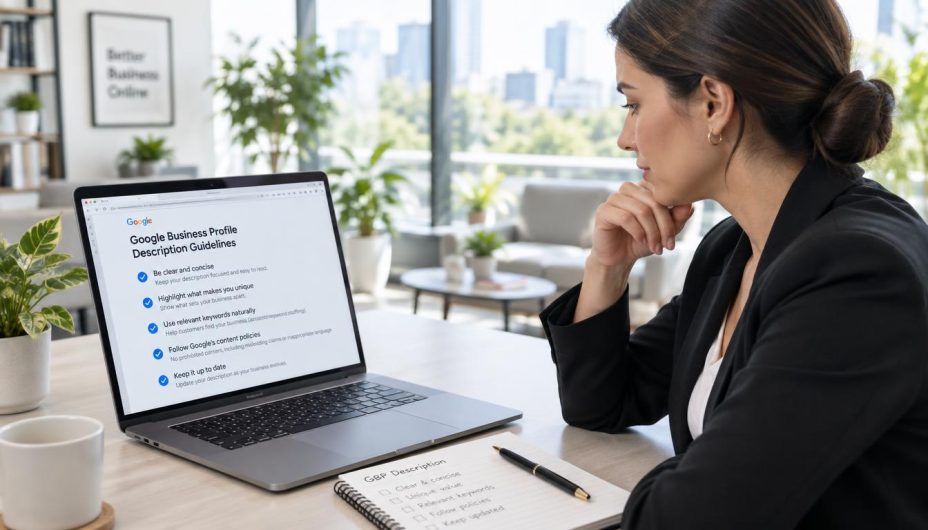
The Google Business Profile description should read like a genuine explanation to a customer. Relevant service terms can appear naturally, but repeating “best plumber,” “top plumber,” and “plumber near me” several times makes the text less useful. A description that lists keywords without context is not a substitute for verified services, a well-maintained website, or an accurate category.
Do not assume that adding more phrases to the Google Business Profile description directly improves local pack positions. Google’s description guidance focuses on usefulness and accuracy, while its published explanation of local ranking emphasizes relevance, distance, and prominence. There is no official percentage of keyword density to target inside this 750-character field.
For a Google Business Profile description, write the idea plainly first, then check whether the terms customers actually use appear naturally. If an important service is missing, replace a weak phrase rather than adding another awkward repetition. Our site architecture guide shows how supporting website pages can explain services in much greater depth.
6. Edit for the 750-Character Limit and Check the Full Count
Once the Google Business Profile description is drafted, check its character count, including spaces and punctuation. Characters are not the same as words. A 750-character limit does not mean 750 words, and a description does not need to use every available character to be effective.
Remove repeated adjectives, unrelated product categories, and long sentences before deleting genuinely useful facts. Keep a small margin if the draft is near the cap, especially when you are copying from a document with unusual punctuation or invisible formatting. Use a plain-text editor or reliable character counter, then check the final content in Google’s profile editor.
For a Google Business Profile description, a useful drafting order is: main service, customer type, true location or coverage, specific differentiator, and optional relevant history. That structure is a copywriting aid, not a Google-imposed formula. The first 250 characters should be useful, but any claim that Google officially scores or always displays precisely 250 characters is unsupported.
Proofread the text aloud and ask whether it would help someone choose the right provider. The description should remain accurate even when a temporary promotion ends. For a systematic editing routine, our SEO tasks checklist offers a repeatable review workflow.
7. Remove Links, Sales Language, and Unsupported Claims
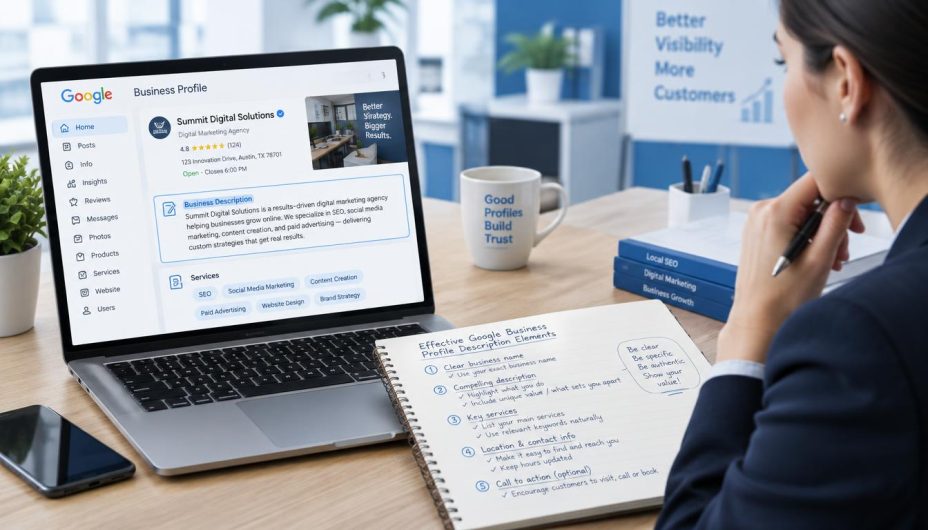
Google prohibits URLs, links, and HTML inside the Google Business Profile description field. It also asks owners not to focus on special promotions, discount offers, and prices. Put the website address in the profile’s website field, and use applicable product, service, or offer features for information that belongs elsewhere.
A Google Business Profile description should also avoid claims that cannot be verified. “The number one dentist in the country,” “guaranteed first position on Google,” or invented awards can mislead readers. Accuracy matters more than a dramatic promise. Statements about medical qualifications, legal credentials, certifications, or years in business should match actual records.
Link attributes such as nofollow and sponsored are irrelevant to writing this plain-text field because links themselves are not permitted here. Do not confuse blog-post link rules with Business Profile description policy. The educational article you are reading can contain citations; the short business summary pasted into Google must not contain them.
For a Google Business Profile description, aim for clear and durable language instead of limited-time deals. Review the rest of the listing for appropriate customer contact methods and ensure linked website pages remain usable. Our technical SEO audit resource covers site checks that are separate from the business text itself.

8. Learn From Realistic Business Description Examples
A strong Google Business Profile description will look different for a service-area business, retail storefront, professional practice, or appointment-based service. The following drafts use fictional businesses for illustration. Verify every service, location, credential, and operating-history claim before adapting them for a real company.
Example: Service-Area Plumbing Company
Northside Plumbing provides residential plumbing repairs in Dayton, Ohio, and nearby communities. Our services include drain cleaning, leak detection, water heater installation, and routine fixture repairs. Customers can contact our team to discuss their plumbing issue, service coverage, and appointment options.
This Google Business Profile description example names the service, geographic area, and practical next step. It avoids discount language, URLs, and unverifiable superlatives. It should only be used by a business that truly provides those services in the stated locations.
Example: Appointment-Based Hair Salon
Luxe Locks Studio is an appointment-based hair salon in downtown Portland. We offer haircuts, color services, styling, and consultations for clients seeking a personalized salon visit. Our team helps guests understand available services and plan appointments that fit their hair goals.
This example makes the appointment format clear. It does not invent a rating or award, and the core services can be checked against the salon’s actual booking options.
Example: Independent Dental Practice
Oakview Dental Care is a family dental practice in Columbus offering routine examinations, preventive cleanings, and restorative treatment consultations. Our team explains care options and appointment arrangements to help patients understand the services available at the clinic.
For healthcare, a Google Business Profile description should avoid unsupported treatment outcomes or qualifications. The practice must check the actual scope of services, licensed staff, and appointment policies before publishing a version of this text.
Example: Local Coffee Shop
Harbor Cup is an independent coffee shop in Seattle serving espresso drinks, brewed coffee, tea, and fresh baked goods. Guests can stop in for a drink, meet friends, or enjoy a quiet table. Our menu and daily availability are updated by the team at the shop.
These examples deliberately remain well below 750 characters, leaving room for real differentiators when appropriate. A description should not be extended to the maximum solely because the field allows it. For deeper website content examples, see the SEO reporting guide to connect editorial changes with meaningful customer outcomes.
9. Save, Review, and Maintain the Description in Google
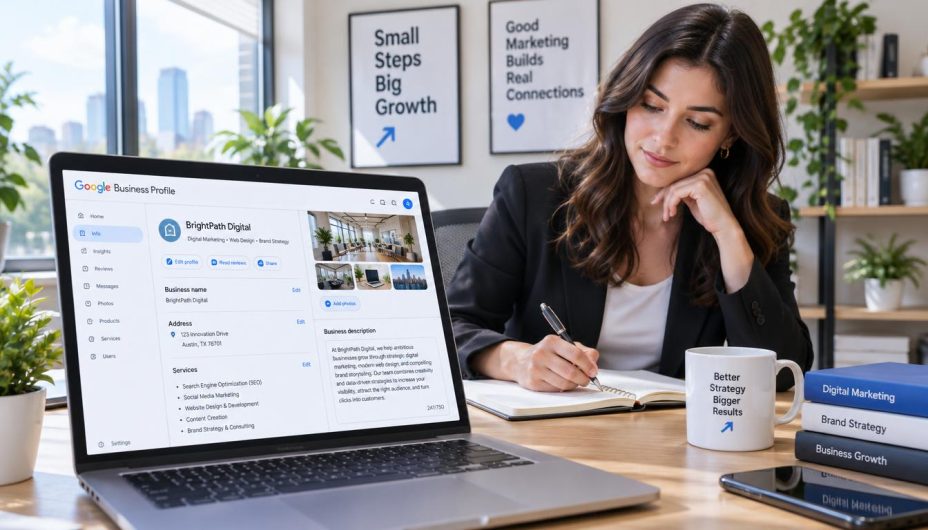
To edit a Google Business Profile description, sign in to the Google Account that manages the relevant profile. Open the Business Profile, choose Edit profile, select the edit control beside Description, enter or revise the text, and save. Google reviews profile edits before they appear publicly, and the interface can vary by device, region, and account permissions.
After updating the Google Business Profile description, inspect the live listing rather than assuming the change was instantly accepted. Check the editing status if available. Google says most changes appear quickly, but some can take longer to review. If the update is not approved, revisit its accuracy and compliance instead of repeatedly resubmitting promotional language.
Some eligible regions and languages have an AI-assisted description suggestion feature in the profile editor. A generated draft still needs human fact-checking: verify services, prices if mentioned, locations, claims, and the character limit. The feature may not be visible to every business.
Review the Google Business Profile description whenever the business expands, removes services, changes its operating model, or updates significant information. Assign an owner for this task. The website’s SEO metrics and analytics reporting can help observe customer interactions, but they cannot establish that one description edit alone caused a local ranking change.
Google Business Profile Description: Before and After Examples
Comparing weak and useful versions is a practical way to improve a Google Business Profile description. The problem is often not grammar; it is that the copy does not tell the customer what they need to know. The examples below are hypothetical and should be adapted only to real business facts.
| Weak Draft | Better Approach | Why It Helps |
|---|---|---|
| We provide the BEST SERVICES at amazing prices. Call NOW! | State actual services, location, and a verified feature | Removes exaggerated sales claims |
| Plumber Dayton, plumber near me, best plumber, plumbing Dayton | Residential plumbing repairs and drain cleaning in Dayton | Explains the offering naturally |
| Visit https://example.com for all our offers | Use the dedicated website field outside the description | Complies with Google’s no-link rule |
| We are the region’s top-rated expert since 1990 | Use confirmed years in business and real credentials | Prevents unsupported claims |
Does the Description Directly Improve Local Rankings?
A Google Business Profile description can help people recognize the business and understand its services. That does not mean it acts as a direct, published ranking lever or that repeating a keyword produces a fixed boost. Google’s public explanation of local ranking centers on relevance, distance, and prominence, alongside keeping business details accurate and useful.
For a Google Business Profile description, the safest goal is customer clarity. If a draft is confusing or inaccurate, improving it is worthwhile regardless of whether impressions rise. Other profile information—categories, hours, address or service area, photos, reviews, and genuinely helpful website content—also deserves regular attention.
Do not attribute a ranking movement to one changed sentence without examining timing, location, search demand, competitor activity, and other site or profile updates. Our SEO tools and analytics collection helps structure evidence-based performance reviews.
Google Business Profile Description Checklist Before Saving
- Verify the real business name, category, services, and coverage.
- Lead with a clear explanation of the main business offering.
- Add genuine differentiators only when they can be supported.
- Use plain, customer-friendly language instead of sales slogans.
- Keep the complete text at or below 750 characters.
- Remove URLs, HTML, discounts, prices used as promotions, and misleading claims.
- Do not repeat keywords or cities unnaturally.
- Check for spelling, punctuation, and copied formatting issues.
- Confirm that the text agrees with current profile and website details.
- Save the change, monitor approval, and check the public listing.
- Review the text when services, locations, or important policies change.
Frequently Asked Questions
What is the character limit for a Google Business Profile description?
The maximum is 750 characters. Count spaces and punctuation as part of the entered text. You do not need to fill the field completely, and a concise, accurate summary may be more useful.
Can I put a website link in the description?
No. Google prohibits URLs and links in the profile description field. Add your website through the dedicated website field, where applicable, rather than embedding a link in the text.
Can I use HTML or bullet formatting inside the profile field?
Do not include HTML code. Use readable plain text. An educational WordPress article can use HTML, but that does not mean HTML is allowed inside the description copied into the Google Business Profile editor.
Are the first 250 characters an official ranking rule?
No. Google documents a 750-character field limit but does not publish a universal rule stating that the first 250 characters control ranking or are always the only text displayed. Place useful details early because readers benefit from clarity.
Should I include keywords and city names?
Use relevant service terms and genuine geographic details naturally. Avoid stuffing repeated phrases or lists of towns. The profile should make sense to customers without relying on an artificial keyword-density formula.
Can I include discounts and prices?
Google says the description should focus on business information rather than promotions, prices, or sales offers. Use relevant profile features or your website for changing commercial details, following applicable policies.
Can AI write my description?
Google provides an AI-assisted description suggestion feature in some regions and languages. You can also draft text with other writing tools, but the business owner must verify every claim, remove promotional or prohibited material, and confirm the final length.
How do I change my description after it is published?
Open the Business Profile with the managing Google Account, choose Edit profile, edit Description, and save. Recheck the public listing and any review or approval status after the change.
Does a better business description guarantee more local customers?
No. Helpful wording can improve understanding, but local performance depends on several factors. Track customer actions and keep the entire profile and relevant website pages accurate instead of claiming a guaranteed ranking or lead increase.
Conclusion
A well-written Google Business Profile description makes it easier for potential customers to understand what a business really offers. Respect the 750-character limit, lead with the main service, explain truthful differentiators, and remove links, exaggerated claims, and promotions that do not belong in this field.
Review the Google Business Profile description whenever important facts change and treat it as one part of responsible local marketing. Clear communication matters more than mechanically filling every character or chasing a plugin score. For ongoing guidance, explore the Online SEO Blogs homepage.