SEO Reporting: 10 Proven Steps for Better Decisions

SEO reporting is the process of turning organic-search data into useful decisions. A strong report explains what changed, where it changed, why it may matter, which findings are confirmed versus still being investigated, and what the team should do next.
Effective SEO reporting combines Google Search Console visibility data with website behavior and business outcomes from Google Analytics 4, then adds only the technical, content, backlink, local, AI-search, and ranking context needed to explain performance. The goal is not to fill a dashboard with metrics; it is to help stakeholders make better decisions.
Key Takeaways
What Is SEO Reporting?
SEO reporting is an evidence-led process for measuring organic-search performance and translating the data into insights, decisions, and actions.
A dashboard shows numbers. A useful SEO report explains them.
For example, a dashboard might show:
- Clicks declined by 18%
- Impressions increased
- Average position changed
- Organic sessions decreased
- Conversions remained stable
Good SEO reporting asks what those movements mean.
Was the decline concentrated on one page? Did branded queries change? Did mobile traffic fall while desktop remained stable? Did a Google update overlap with the decline? Did a migration, canonical change, noindex rule, or content update occur at the same time? Did fewer visits still produce the same number of qualified leads?
This is why reporting should connect search visibility to business context rather than treating every SEO metric as an outcome.
For the wider organic framework, use our practical SEO strategies guide and the SEO Tools & Analytics hub.
What Should an SEO Report Actually Answer?
A strong SEO reporting system should make five questions easier to answer:
- What changed?
- Where did it change?
- Why might it have changed?
- Why does the change matter to the business?
- What should happen next?
The level of detail should depend on the audience.
| Audience | Primary Need | Useful Reporting Level |
|---|---|---|
| Executives | Business outcomes, risk, opportunities, decisions | Concise summary |
| Marketing leaders | Channel performance, priorities, contribution to goals | Strategic detail |
| SEO team | Queries, pages, technical issues, experiments, changes | Diagnostic detail |
| Content team | Page and topic performance, gaps, refresh opportunities | Content-level detail |
| Development team | Technical problems, affected templates, urgency | Implementation detail |
Do not send the same 40-chart dashboard to every stakeholder. Good SEO reporting uses one reliable data foundation but changes the level of explanation according to the person reading it.

10 Proven Steps for Better SEO Reporting
1. Define Goals Before Choosing Metrics
The first step in SEO reporting is deciding what success means for the website.
Possible business outcomes include:
- Qualified leads
- Sales or ecommerce revenue
- Demo requests
- Appointment bookings
- Newsletter signups
- Software registrations
- Phone calls
- Store visits
- Content consumption
- Brand discovery
Then choose supporting SEO metrics that help explain those outcomes.
For example:
| Business Goal | Useful SEO Evidence |
|---|---|
| Generate leads | Organic landing pages, key events, forms, calls, qualified leads |
| Increase ecommerce revenue | Organic product/category traffic, purchases, revenue, product visibility |
| Grow informational visibility | Clicks, impressions, queries, topic pages, Discover traffic |
| Improve local acquisition | Local landing pages, calls, forms, location performance |
| Improve AI discovery | AI referrals, observed mentions, citations, product visibility |
If you are planning content around different stages and objectives, our content mapping guide explains how to connect pages, intent, audience needs, and business actions.
For B2B environments with longer sales cycles, see our B2B SEO guide.
2. Verify Tracking Before Interpreting Results
Bad data creates bad SEO reporting.
Before explaining a gain or loss, verify:
- Correct Search Console property
- Correct GA4 property
- Correct web data stream
- Key events are working
- Ecommerce tracking is working where relevant
- Internal traffic is handled appropriately
- Consent or tracking changes are documented
- Date ranges are correct
- Filters are consistent
- Time zones are understood
- Major migrations or URL changes are annotated
Google’s official Search Console and Analytics integration guidance explains that the two platforms can be linked to combine Search Console visibility with Analytics landing-page and engagement data.
Google notes that linked Search Console data can take roughly 48 hours to become available in Analytics and that Search Console keeps up to 16 months of data.
A good SEO reporting workflow documents these limitations instead of treating every missing data point as a website problem.
3. Build the Search Visibility Layer in Google Search Console
Google Search Console should be one of the core sources in SEO reporting for Google organic visibility.
The Performance report includes:
- Clicks
- Impressions
- CTR
- Average position
- Queries
- Pages
- Countries
- Devices
- Search appearance
- Dates
Google’s Performance report documentation explains how these metrics and dimensions work.
Do not treat average position as an exact live ranking.
Google calculates position across impressions, queries, locations, devices, result types, and other contexts. It recommends looking at changes over time and generally placing more emphasis on trends in clicks and impressions than on position alone.
Useful SEO reporting comparisons include:
- Last 28 days vs previous 28 days
- Year over year where seasonality matters
- Pre-update vs post-update periods
- Mobile vs desktop
- Country vs country
- Brand vs non-brand query groups
- Content type vs content type
If a sudden change appears, use our SERP volatility guide and Google Algorithm Update Tracker before assuming an unconfirmed algorithm update caused it.

4. Connect Search Visibility With GA4 Behavior and Outcomes
Search Console shows how a site performs on Google Search. GA4 can help show what users do after reaching the website.
That distinction is essential for useful SEO reporting.
Review metrics such as:
- Organic sessions
- Active users
- Engaged sessions
- Engagement rate
- Landing pages
- Key events
- Purchases
- Revenue
- Qualified conversion actions
Google’s Google organic search traffic report can combine Search Console landing-page data with Analytics metrics such as engaged sessions, engagement rate, event count, and key events.
Be careful with attribution.
A person can interact with several marketing channels before converting. Organic Search may be the acquisition source, one session source, or one step in a longer journey.
Do not automatically claim:
“SEO generated every conversion that happened after an organic visit.”
Instead, define the attribution model and metric scope used in the report.
For more advanced performance analysis, use the SEO analytics category.
5. Segment Pages and Queries Instead of Reporting Only Sitewide Totals
Sitewide numbers are useful, but they can hide the reason behind a change.
Strong SEO reporting segments performance by meaningful groups.
Examples:
- Blog articles
- Service pages
- Product pages
- Categories
- Location pages
- Brand queries
- Non-brand queries
- Informational queries
- Commercial queries
- New vs updated content
Imagine organic clicks declined 8% overall.
The sitewide total does not tell you whether:
- One high-traffic article declined sharply.
- Hundreds of pages declined slightly.
- Brand searches fell.
- Mobile performance changed.
- One country lost visibility.
- A product category went out of stock.
- Discover traffic returned to normal after a temporary spike.
This is why page- and query-level segmentation matters.
Our keywords vs SEO guide explains why query data should be interpreted around intent rather than isolated keyword positions.
For local businesses, segment by location or location-page group. Our multi-location local SEO guide, location pages guide, local search intent guide, and Local SEO hub provide useful examples of location-specific measurement.
6. Include Technical SEO Metrics Only When They Help Explain a Decision
A technical section belongs in SEO reporting, but avoid dumping every crawler warning into an executive report.
Report technical issues when they affect—or could realistically affect—important pages.
Useful areas include:
- Indexing problems
- Blocked important URLs
- Canonical conflicts
- Redirect problems
- Server errors
- Broken internal links
- XML sitemap problems
- Structured data errors
- Major Core Web Vitals changes
- Migration issues
A technical finding becomes report-worthy when you can explain:
- What is wrong?
- How many important pages are affected?
- What evidence shows an impact or risk?
- How important is the issue?
- Who should fix it?
Use our technical SEO audit presentation guide and Technical SEO hub for deeper diagnostics.
Canonical and pagination problems can also distort indexing analysis, so see our canonical pagination guide when relevant.

7. Report Content Performance Around Intent and Purpose
Good SEO reporting does not judge every article only by traffic.
A content asset may be designed to:
- Capture informational demand
- Support a commercial page
- Answer customer questions
- Earn links
- Build topical depth
- Generate leads
- Support a product decision
Useful content-reporting fields can include:
| Field | Question It Answers |
|---|---|
| Impressions | Is Google showing the page? |
| Clicks | Is it earning search visits? |
| Queries | Which needs does the page currently match? |
| Landing-page engagement | Are visitors interacting after arrival? |
| Internal-link clicks | Does the page support deeper journeys? |
| Key events | Does it contribute to meaningful actions? |
Use our content mapping framework and Content SEO & Marketing resources when deciding what success should mean for different content types.
For multimedia content, see our video podcast SEO guide. Video visibility should be measured according to its real role rather than treated as a guaranteed ranking tactic.
8. Keep Backlink Reporting Separate From Ranking-Cause Claims
Backlinks can be included in SEO reporting, especially for digital PR and authority-building campaigns.
Useful metrics can include:
- New relevant referring domains
- Lost editorial links
- Publisher relevance
- Target pages
- Referral visits
- Brand mentions
- Campaign coverage
- Qualified actions from referrals
Avoid reporting:
“We earned 15 backlinks, therefore rankings increased.”
Many variables can change at the same time.
For enterprise campaigns, use our enterprise link building guide and the Off-Page SEO & Link Building hub.
If questionable historical links are being investigated, follow our Google disavow list guide rather than treating every third-party “toxic” score as proof of a ranking problem.
9. Add Google Update, Discover, and AI Search Context Where Relevant
Modern SEO reporting increasingly covers more than traditional blue-link rankings.
Depending on the site, you may need to report:
- Confirmed Google ranking updates
- Discover performance
- AI Overviews or generative search exposure
- ChatGPT referral traffic
- Observed AI citations
- AI product visibility
Keep these data types separate.
Do not merge Google Search clicks, Discover clicks, AI referrals, and manually observed AI mentions into one vague “visibility score” unless the methodology is clearly defined.
For Google Discover, use our Google Discover SEO guide.
For broader AI-search monitoring, use the AI Search & SEO hub, our LLMO checklist, and the ChatGPT product visibility monitoring guide.
If traditional rankings change during the same period, compare the dates with the Google Algorithm Update Tracker and the Google Search Updates hub.
10. Turn Every Important Finding Into an Action
The final purpose of SEO reporting is decision-making.
Every major finding should end with:
- Finding
- Evidence
- Interpretation
- Recommended action
- Owner
- Priority
- Target date
- Follow-up metric
Example:
| Finding | Action | Owner | Follow-Up |
|---|---|---|---|
| Important page lost impressions after accidental noindex | Remove directive and request reprocessing | Development | Indexing and impressions |
| High-impression queries have weak CTR | Review title/snippet relevance and intent | SEO / Content | CTR and clicks |
| Article attracts traffic but produces no next-step engagement | Improve contextual internal links and CTA | Content | Internal clicks and key events |
| Location pages perform unevenly | Audit branch-specific content and GBP alignment | Local SEO | Location-level clicks and leads |
This is where SEO reporting becomes valuable: it creates accountability instead of simply documenting history.
A Practical SEO Reporting Template
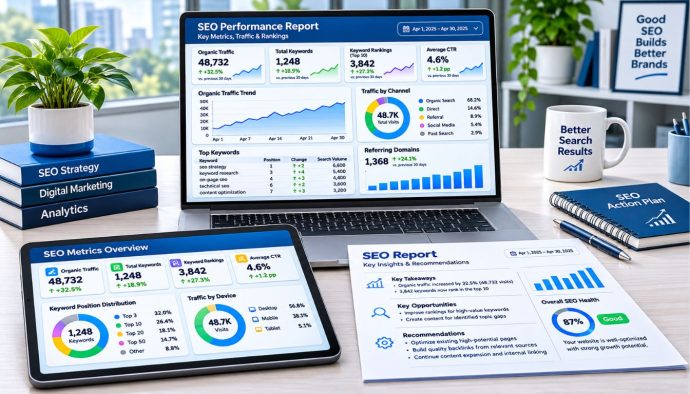
A reusable SEO reporting template can follow this structure:
1. Executive Summary
Keep this short.
- Overall performance direction
- Largest gain
- Largest loss or risk
- Main business implication
- Top priorities for the next period
2. Business Outcomes
- Leads
- Sales
- Revenue
- Signups
- Other agreed key events
3. Organic Search Visibility
- Clicks
- Impressions
- CTR
- Average position trends
- Brand vs non-brand patterns
4. Pages and Queries
- Top gaining pages
- Top declining pages
- Query groups
- New opportunities
- Intent changes
5. Content Performance
- New content
- Updated content
- Topic clusters
- Internal-link opportunities
- Pages requiring consolidation
6. Technical Health
- Only material issues
- Number of important URLs affected
- Status of previous fixes
7. Off-Page Performance
- Relevant editorial links
- Digital PR coverage
- Referral traffic
- Brand mentions
8. Search & Platform Context
- Confirmed Google updates
- Discover changes
- AI-search changes where relevant
- Major site releases
9. Recommendations
- Finding
- Action
- Owner
- Priority
- Follow-up metric
How Often Should SEO Reporting Be Done?
There is no universal SEO reporting cadence for every website.
A practical approach is:
| Cadence | Useful For |
|---|---|
| Weekly monitoring | Major migrations, active incidents, volatile launches, important campaigns |
| Monthly reporting | Routine stakeholder performance review |
| Quarterly review | Strategy, investment, resource allocation, larger trends |
| Event-based analysis | Core updates, spam updates, migrations, technical incidents |
A weekly operational dashboard does not need a 30-page written analysis.
Likewise, a quarterly review should usually explain more than the previous month’s clicks.
When a confirmed core update overlaps with performance changes, use our Google core update guide to structure the analysis and avoid making major conclusions too early.
Using Data Studio for SEO Reporting
Dashboards can reduce repetitive work in SEO reporting, especially when several stakeholders need consistent views.
Google renamed Looker Studio back to Data Studio in April 2026. Older tutorials may therefore still use the Looker Studio name.
Google’s current Data Studio connector documentation lists connectors for sources including:
- Google Analytics
- Search Console
- Google Sheets
- BigQuery
- Google Ads
The Search Console connector can expose both site-impression and URL-impression aggregation methods. Google notes that if you want both methods side by side, you need separate Search Console data sources in the report.
Automation is useful for:
- Refreshing charts
- Standardizing calculations
- Creating recurring dashboards
- Reducing manual copy-paste work
But a dashboard should not replace human review.
A chart cannot automatically know that:
- A product went out of stock.
- A tracking configuration changed.
- A developer accidentally added noindex.
- A PR campaign created unusual branded demand.
- A Google update was rolling out.
Good SEO reporting combines automation with interpretation.
How to Investigate an Organic Traffic Drop
When SEO reporting shows a significant decline, do not immediately rewrite content or blame an algorithm update.
Investigate in layers:
Step 1: Confirm the data
Check Search Console, GA4, tracking changes, filters, and date comparisons.
Step 2: Identify the scope
Is the decline sitewide, section-level, page-level, country-specific, device-specific, or query-specific?
Step 3: Check technical changes
Review indexing, canonicals, redirects, robots rules, server health, migrations, and template deployments.
Step 4: Check external context
Review confirmed Google updates, seasonality, demand changes, and competitor changes.
Google’s official guide to debugging Search traffic drops recommends considering algorithmic updates, technical issues, security issues, seasonality, changing interests, and other causes rather than assuming one explanation.
Step 5: Compare affected pages and intent
Look at what currently ranks and whether the result type or user need has changed.
Use our SERP volatility guide when deciding how quickly to react.
Common SEO Reporting Mistakes
Reporting rankings without business context
A ranking improvement may produce little business value if the query has weak intent or low demand.
Using average position as an exact rank
Search Console average position is an aggregated metric, not one universal live ranking.
Reporting percentages without absolute numbers
“Traffic increased 100%” sounds dramatic if clicks increased from 2 to 4.
Comparing mismatched periods
Seasonality, weekday patterns, holidays, campaigns, and update rollouts can make poor comparisons misleading.
Presenting correlation as causation
A backlink, content update, or technical fix happening before a gain does not automatically prove it caused the gain.
Overloading the report with diagnostics
Executives rarely need every crawl warning, keyword, backlink, or URL.
Hiding negative results
Good SEO reporting should explain declines honestly and distinguish confirmed causes from hypotheses.
Reporting AI visibility without methodology
An AI visibility number is meaningless unless stakeholders understand what prompts, platforms, locations, sessions, or measurement rules created it.
Our ChatGPT monitoring guide demonstrates how AI observations can be logged with clearly defined test conditions.
SEO Reporting Checklist
- Define the business goals first.
- Choose metrics that support those goals.
- Verify Search Console and GA4 tracking.
- Confirm date ranges and filters.
- Check Search Console clicks and impressions.
- Review CTR and average position in context.
- Segment by query and landing page.
- Check device and country differences.
- Review brand and non-brand patterns where useful.
- Connect organic traffic with key events and revenue.
- Include only material technical findings.
- Review new and updated content separately.
- Check internal-link opportunities.
- Report relevant editorial link and referral performance.
- Annotate major website releases.
- Annotate confirmed Google updates.
- Separate Discover from normal Search where applicable.
- Separate AI visibility from traditional Search metrics.
- Distinguish confirmed findings from hypotheses.
- Avoid claiming causation without evidence.
- Add clear recommendations.
- Assign an owner to each important action.
- Define a follow-up metric.
- Tailor the summary to the audience.
- Human-review automated dashboards before delivery.
Use this SEO reporting checklist before delivering recurring client, executive, or internal reports.
Frequently Asked Questions
What is SEO reporting?
SEO reporting is the process of measuring organic-search performance and translating clicks, impressions, traffic, conversions, technical findings, content performance, and other evidence into useful business insights and next actions.
What metrics should an SEO report include?
Useful metrics can include Search Console clicks, impressions, CTR, average position trends, queries and pages, plus GA4 organic traffic, landing-page engagement, key events, revenue, and relevant technical or backlink indicators. The final selection should match the report’s goals.
Is average position the same as a Google ranking?
No. Search Console average position is aggregated across impressions and different search contexts. It is useful for trend analysis but should not be presented as one fixed ranking for every user.
How often should SEO reports be created?
There is no universal frequency. Monthly reports work for many routine stakeholder reviews, while weekly monitoring may help during migrations or incidents and quarterly reviews are useful for broader strategy.
What is the difference between Search Console and GA4 for SEO reporting?
Search Console measures visibility and interaction within Google Search, including clicks, impressions, CTR, queries, and position. GA4 helps measure what visitors do after reaching the website, including engagement, events, conversions, and revenue.
Should keyword rankings be included in SEO reporting?
They can be useful diagnostic signals, especially for important query groups, but should not replace clicks, impressions, landing-page performance, conversions, and other outcomes. Rankings also vary by context.
Can SEO reporting be automated?
Data collection, dashboards, recurring charts, and some calculations can be automated. Human review is still needed to validate anomalies, explain context, separate hypotheses from confirmed findings, and recommend appropriate actions.
What should an executive SEO report include?
Keep it concise: business outcomes, major organic visibility trends, important wins or losses, significant risks, explanations where evidence is available, and a short list of prioritized next actions.
How should AI search be included in an SEO report?
Track AI referrals, observed citations, mentions, product visibility, or platform-specific metrics separately from Google Search. Clearly document the methodology so stakeholders understand what the AI visibility data represents.
Conclusion
SEO reporting should do more than summarize rankings and traffic. The best reports connect Google Search visibility, website behavior, business outcomes, technical health, content performance, off-page activity, and major search-platform changes into a clear decision-making process.
Start SEO reporting with reliable data and agreed business goals. Use Search Console to understand visibility, GA4 to understand onsite behavior and outcomes, technical tools to diagnose material problems, and contextual analysis to explain what changed.
Most importantly, every major SEO reporting insight should lead to an action—or a clear decision that no action is currently justified. Separate facts from hypotheses, avoid overstating causation, and measure whether previous recommendations actually produced the intended outcome.
Continue with our SEO Tools & Analytics hub, technical SEO audit guide, content mapping guide, SERP volatility guide, Google Algorithm Update Tracker, AI Search & SEO resources, Off-Page SEO resources, full article library, and our Editorial Policy for supporting guidance.