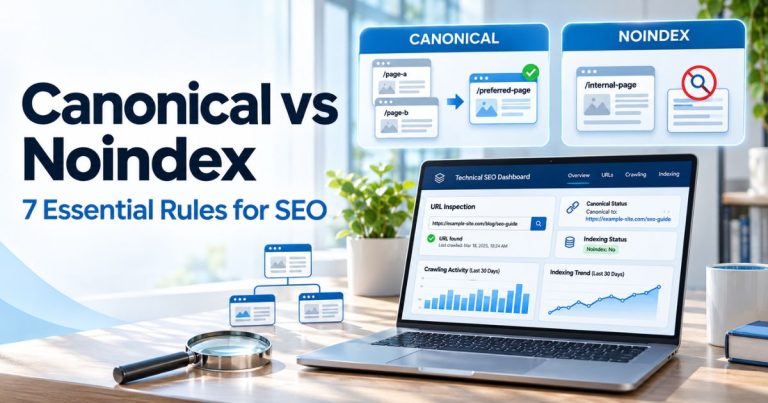
Site Architecture SEO: 7 Proven Steps for a Better Website

Site architecture SEO is the process of organizing a website so visitors and search engines can find important pages through clear navigation, crawlable links, and a logical hierarchy. A good structure connects your homepage, categories, and individual pages without forcing people—or search engine crawlers—to guess where content lives.
Whether you run a small blog or a large ecommerce site, site architecture SEO starts with practical decisions: what belongs in each category, how pages link together, which URLs you want indexed, and how you will test the experience as your site grows. For the wider picture, see our practical SEO improvement guide.
Below are seven actionable site architecture SEO steps, examples, common mistakes, and a launch checklist you can apply without rebuilding your whole website.
Key Takeaways
- Plan a clear site architecture SEO hierarchy from the homepage to categories, subcategories, and individual pages.
- Keep important content reasonably easy to reach, but treat three-click guidance as a usability goal rather than a fixed Google ranking rule.
- Use descriptive anchor text and ordinary HTML links to help search engines discover relevant pages.
- Make navigation, pagination, filters, and important content accessible on mobile.
- Choose readable, consistent URLs and avoid unnecessary duplicates, redirects, and orphan pages.
- Use XML sitemaps as a discovery aid, not a substitute for internal linking or a guarantee of indexing.
- Audit your structure regularly as you add or retire pages.
What Is Site Architecture SEO and Why Does It Matter?
Site architecture SEO describes how a site’s pages are arranged and connected. It includes navigation menus, category hierarchies, breadcrumbs, contextual links, pagination, and the URLs that represent your content. SEO-friendly architecture makes relationships between pages understandable to people and search engines.
For example, a pet-supply store might use Home → Dogs → Dog Toys → Chew Toys. A blog may use Home → Technical SEO → Crawlability → Specific Guide. Both approaches give visitors a predictable route to detailed information.
Good site architecture SEO can support discoverability, reduce unnecessary friction, and help content teams identify missing or disconnected pages. It does not guarantee rankings or indexing: page quality, accessibility, relevance, and many other factors still matter. For a practical review framework, visit our technical SEO audit presentation guide.

7 Proven Steps to Build a Crawlable Website Structure
1. Choose a Logical Website Architecture
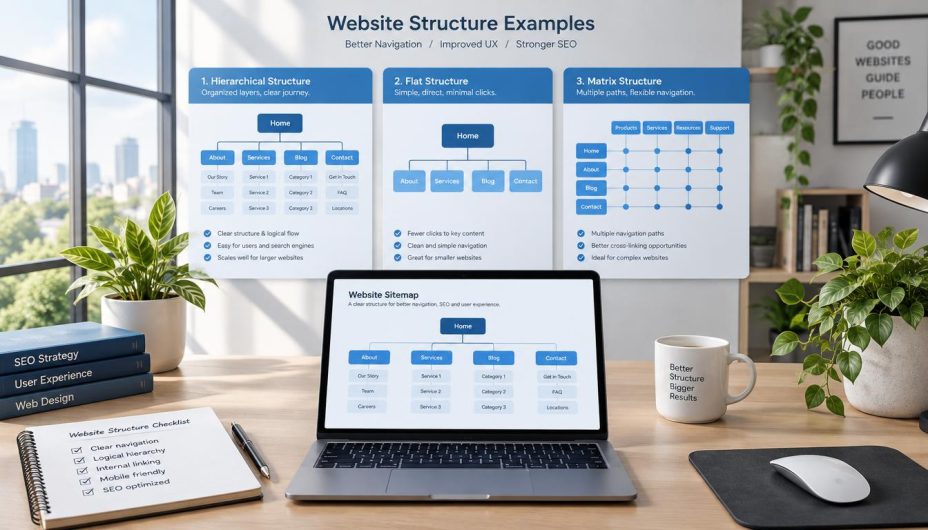
To plan site architecture SEO, start by listing your main topics, products, services, and tasks. Group related pages into categories a first-time visitor would understand. A hierarchy should reflect the way people look for information, not merely your internal organizational chart.
Several models work well:
| Structure | Best Fit | How It Works |
|---|---|---|
| Hierarchical | Business and ecommerce websites | Broad categories lead to narrower subcategories and individual pages. |
| Hub-and-spoke | Blogs and learning resources | A broad topic page links to detailed supporting guides. |
| Database-driven | Large catalogs and directories | Templates organize numerous products or records using consistent rules. |
| Sequential | Courses and multi-step processes | Users move through a defined sequence of stages. |
Many websites combine these approaches. For a content-led business, a hub-and-spoke structure is a useful site architecture SEO approach because each broad topic can connect to closely related guides. Our content mapping guide explains how to connect topics to search intent and identify coverage gaps, while the Content SEO & Marketing hub offers an example of grouping resources by subject.
In site architecture SEO, do not create a separate category for every minor keyword variation. Categories should serve a meaningful organizational purpose and contain enough useful content to justify their existence.
2. Build a Shallow but Scalable Page Hierarchy
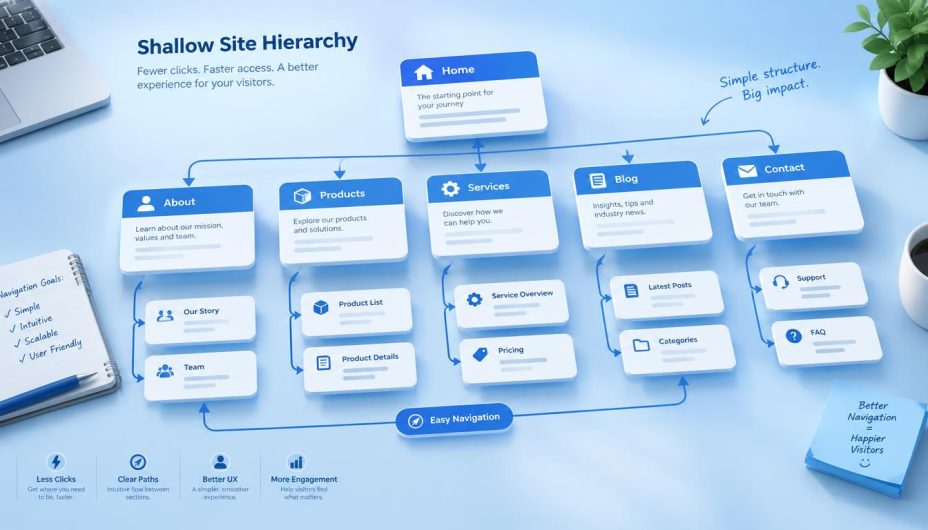
In site architecture SEO, click depth is the number of link selections required to reach a page from a starting point, commonly the homepage. Important pages should be discoverable through reasonably short, intuitive routes. A three-click target can be a helpful usability heuristic, but Google does not require every webpage to sit exactly three clicks away from the homepage.
Consider a simple structure:
Homepage
├── Services
│   ├── Search Engine Optimization
│   └── Content Strategy
├── Blog
│   ├── Technical SEO
│   │   ├── Crawling and Indexing
│   │   └── Website Architecture
│   └── Content Marketing
└── About and Contact
As your site expands, preserve site architecture SEO by adding useful subcategories rather than forcing hundreds of links into a single menu. The goal is to keep navigation understandable while ensuring each valuable page has at least one meaningful internal path from another crawlable page.
A useful example is our Technical SEO category, which groups guides around crawlability and indexing. You can also compare how the broader SEO category organizes related search-optimization resources.
To evaluate site architecture SEO on larger websites, check the actual link depth with a crawler rather than relying on URL folder depth. A long URL is not necessarily deeply linked, and a short URL can still be difficult to reach.
3. Strengthen Internal Links and Anchor Text
Internal links are essential to site architecture SEO: they connect pages on your own domain. They help visitors continue their journey and give crawlers routes for discovering additional URLs. The most helpful links appear where a reader would naturally need more detail.
For site architecture SEO, use concise, descriptive anchor text. For example, technical SEO audit checklist gives more context than click here. Avoid linking every repeated keyword and do not force unrelated links into paragraphs simply to reach a target number.
When building content clusters, link from a broad guide to useful supporting articles and link back where it genuinely helps. Our XML sitemap guide is a related technical resource, while other specialized guides explain complementary tasks. The difference between keywords and SEO is another example of a related supporting topic for beginners.
A site architecture SEO audit should watch for orphan pages: pages with no discoverable internal links pointing to them. A URL appearing in an XML sitemap does not make it a substitute for useful navigational or contextual links.
Also distinguish internal navigation from link relationship attributes. Regular site navigation should not be marked nofollow merely to manipulate link equity. Our nofollow links explanation covers when that attribute is appropriate, while the enterprise link-building guide discusses how external discovery and internal content relationships serve different purposes.
Google’s official crawlable links documentation recommends standard HTML links containing an href attribute and relevant anchor text.
4. Organize Categories, URLs, and Canonical Pages
Good site architecture SEO requires URL structure that makes sense to users. Readable words are usually more helpful than random characters or unnecessary parameters. For example, /guides/technical-seo/ communicates a topic clearly.
However, changing an established URL purely to make it shorter can create avoidable work. Before changing any published URL, check current traffic, incoming links, canonical tags, and redirects. If a move is necessary, set up an appropriate permanent redirect and update your internal links.
In site architecture SEO, each indexable page should have a consistent preferred URL. Pagination requires special care: pages in a sequence generally need individual crawlable addresses and should not all be canonicalized automatically to page one. See our canonical pagination best practices for concrete examples.
For location-based businesses, decide whether regional content belongs in a clear country, city, or service hierarchy. Our location page optimization guide and multi-location SEO guide show how a structured set of local pages can serve different audiences without producing interchangeable duplicates.
Site architecture SEO is not a reason to generate thin doorway-style variations just because a city, category, or keyword exists. A page should meet a distinct user need and have a sensible place within the overall site.

5. Make Navigation, Breadcrumbs, and Filters Crawlable
For effective site architecture SEO, a good menu is predictable across desktop and mobile. Keep primary navigation focused on major destinations, and use secondary menus, related-content blocks, or category pages for deeper choices. Important destinations should remain accessible when the layout changes on a small screen.
Breadcrumbs strengthen site architecture SEO by helping visitors understand their position, particularly on stores and large directories. A typical trail might read Home → Electronics → Laptops → Business Laptops. Where useful, make intermediate breadcrumb items links so users can return to their parent category.
Faceted navigation—filters for color, price, size, or brand—can produce an enormous number of URL combinations. Decide which filtered views genuinely deserve independent search visibility and keep unhelpful combinations from expanding crawl space without purpose.
For businesses that serve different customer needs, organize pages around actual intent rather than creating dozens of almost identical navigation items. Our local search intent guide explains how intent can shape relevant landing-page groups.
Where a site uses product listings, ensure pagination or load-more interactions do not hide important products behind JavaScript-only actions. Product discoverability also matters when assessing product visibility in AI-assisted discovery, although no architecture change guarantees AI recommendations.
6. Align XML Sitemaps With Internal Structure
A sitemap supports site architecture SEO by supplying search engines with a list of preferred URLs for discovery. It should normally contain canonical, indexable pages that return successful responses rather than redirect chains, missing pages, or intentional noindex content.
To audit site architecture SEO, compare your XML sitemap against what a crawler can discover through internal links. URLs that appear only in a sitemap may indicate orphan pages or broken navigation. Conversely, a crawler may find outdated or duplicate URLs that should not be promoted through your sitemap.
For WordPress sites, confirm which sitemap generator is active and inspect the actual sitemap URL. A sitemap helps with discovery but does not guarantee crawling or indexing. Use the SEO Tools & Analytics resources as a starting point for broader measurement workflows.
Google’s SEO Starter Guide explains why logical organization, useful URLs, relevant links, and people-first content work together. A technically valid sitemap cannot compensate for disconnected or low-value pages.
7. Audit Crawlability and Improve Over Time
Site architecture SEO is not a one-time setup. A structure that worked with 30 posts may be confusing after 300 posts, new category launches, product retirements, or a redesign. Review it after significant changes and on a regular maintenance schedule.
A useful site architecture SEO crawl audit examines:
- Important URLs reachable through ordinary internal links.
- Orphan pages and excessive click depth.
- Broken links, redirect chains, and unexpected 404 responses.
- Robots directives, meta robots values, and indexing intent.
- Canonical consistency across links, pagination, and XML sitemaps.
- Mobile navigation and JavaScript rendering of essential content.
- Duplicate or low-value parameter URLs.
Compare these technical findings with organic search data instead of assuming every traffic change originates from the site structure. A useful companion resource is our SEO reporting guide, which covers how to measure progress rather than relying on a single plugin score.
Content quality remains important. A clear architecture helps accessible pages be found; it cannot make an unhelpful article relevant. Our foundational SEO principles for AI search and LLMO checklist discuss why clear, useful and accessible content is also important in newer search experiences.
Common Site Architecture SEO Mistakes to Avoid
| Mistake | Why It Matters | Better Approach |
|---|---|---|
| Important pages are buried | Visitors and crawlers struggle to discover them. | Add clear category and contextual routes. |
| Orphan pages | There is no meaningful internal path to the content. | Link from relevant parent and supporting pages. |
| Overcomplicated menus | Visitors face too many choices at once. | Keep top-level navigation focused. |
| Excessive categories | Thin archives and unclear taxonomy emerge. | Use broad topics with genuinely useful subgroups. |
| Duplicate filter URLs | Crawlers may spend time on low-value variations. | Apply a deliberate faceted-navigation policy. |
| Inconsistent canonical signals | Different systems suggest different preferred URLs. | Align canonicals, sitemap entries, and internal links. |
| JavaScript-only navigation | Some URLs may not be reliably discoverable. | Provide crawlable anchor links and test rendering. |
| Changing URLs without redirects | Existing links and bookmarks may break. | Plan permanent redirects and update internal references. |
For a practical example of avoiding disconnected local landing pages, see local SEO for real estate agents. The same principle applies to service categories, products, and knowledge bases: create useful destinations that fit a clear user journey.
Site Architecture Checklist Before Publishing or Redesigning
- Can new visitors understand the main categories without prior knowledge?
- Does every important page have at least one meaningful internal link?
- Are the most valuable pages reasonably easy to reach?
- Do desktop and mobile menus expose essential destinations?
- Are breadcrumbs accurate and useful where shown?
- Are URL formats readable, consistent, and stable?
- Do paginated pages and filters have intentional crawl and canonical behavior?
- Are sitemap entries canonical, accessible, and intended for indexing?
- Do navigation links work without requiring unusual JavaScript actions?
- Have you checked orphan pages, redirects, and broken internal links?
- Can you assess results through crawl data and real search performance?
If you publish resources regularly, make site architecture SEO part of the editorial workflow. Before adding a new article, decide which hub it belongs to, what existing pages should link to it, and which related pages readers might want next. Explore our SEO article library for an example of a central discovery page.
Frequently Asked Questions
What is site architecture in SEO?
Site architecture SEO is the way website pages are organized and connected through navigation, internal links, categories, and URLs. A clear structure makes important content easier to find and understand.
Does every page need to be three clicks from the homepage?
No. Three clicks can be a useful planning heuristic for important content, but it is not a fixed Google requirement. Prioritize logical routes and real usability over an arbitrary depth score.
How do internal links improve site architecture?
Internal links provide navigation paths, connect related topics, and help crawlers discover URLs. Descriptive anchor text makes the destination clearer to readers and search engines.
What is a shallow website structure?
A shallow structure keeps important destinations accessible through relatively few navigation steps. It can still include subcategories where they improve clarity and do not isolate content.
Are XML sitemaps enough for crawlability?
No. XML sitemaps support discovery, but important pages should also be reachable through crawlable internal links. A sitemap does not guarantee that a URL will be crawled or indexed.
Should I change long published URLs?
Not solely for an SEO plugin warning. Review traffic, existing links, redirects, and canonical behavior first. If a URL must change, implement suitable redirects and update internal references.
What is the difference between a category page and a topic hub?
A category is a taxonomy grouping, often generated by a CMS. A topic hub is a curated resource page that explains a broad subject and points readers toward useful supporting material. A well-designed category page can also serve as a topic hub.
How often should I audit my website architecture?
Review site architecture SEO after major redesigns, migrations, taxonomy changes, and large content updates. For an active website, include architecture checks in regular technical SEO maintenance.
Conclusion
Effective site architecture SEO starts with a structure that makes sense to people. Build a clear hierarchy, connect related pages with descriptive links, keep essential navigation crawlable, and align your canonical URLs and sitemaps.
Then test what visitors and crawlers can actually reach. Good architecture is not about satisfying an arbitrary click count or stuffing every page with links; it is about giving useful content a predictable place and an accessible path. For more technical SEO guidance, browse the Online SEO Blogs homepage.