Crawl Accessibility: 9 Best Fixes to Avoid SEO Errors
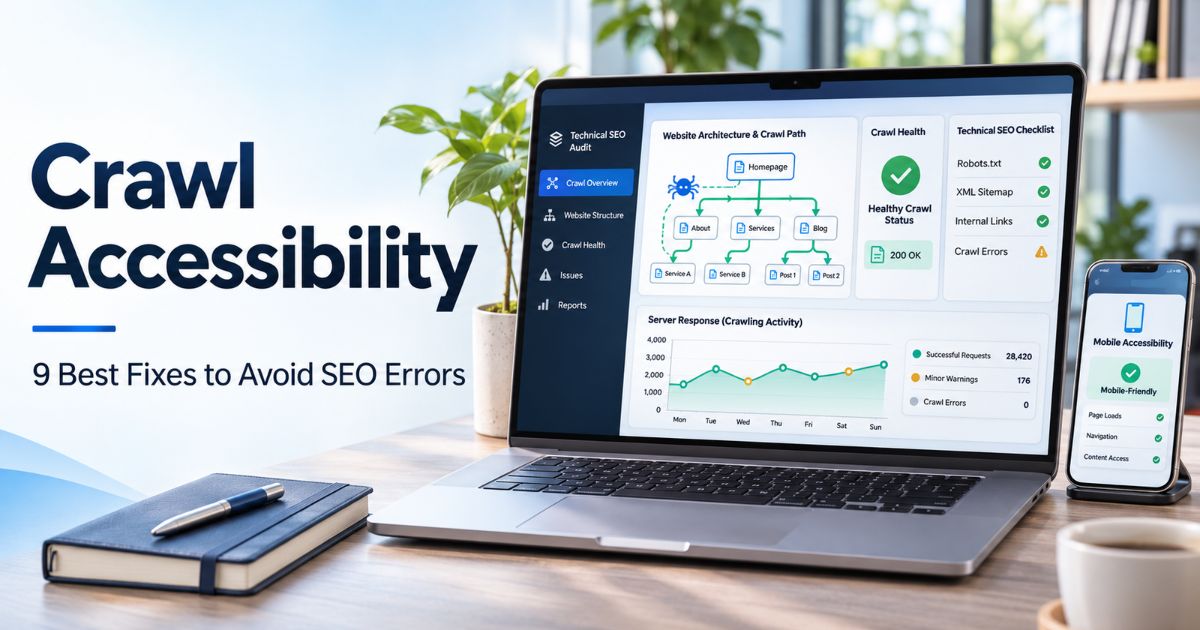
Crawl accessibility describes whether search engine crawlers can reach a website’s important URLs and retrieve the information needed to understand those pages. A well-organized website makes that journey easier through working links, dependable server responses, appropriate crawler rules, and pages that reveal useful content when fetched.
Improving crawl accessibility does not guarantee indexing or rankings. Discovery means finding a URL; crawling means fetching it; indexing is a separate decision about including information in a search index; and ranking concerns how a result is presented for a query. A website can pass a crawl test yet remain unindexed for other reasons.
This guide explains nine practical checks for site owners and WordPress publishers, from robots.txt and URL Inspection to JavaScript rendering and technical monitoring. Use it alongside our practical SEO improvement guide when reviewing a website’s wider search performance.
Key Takeaways
- Crawl accessibility is about reachability and retrieval; it does not promise that Google will index or rank a URL.
- Working internal HTML links help crawlers discover important pages and follow meaningful navigation paths.
- Robots.txt manages crawling, while noindex controls search inclusion when a crawler can read the directive.
- Server failures, DNS issues, blocking security tools, and long redirects can interrupt crawling.
- XML sitemaps help search engines discover preferred URLs but cannot replace a usable site structure.
- JavaScript-dependent pages should expose important content and links in a form Google can render and process.
- Use Search Console reports and a site crawler together, then validate fixes on real URLs.
What Is Crawl Accessibility and Why Does It Matter?
Crawl accessibility is the ability of an authorized crawler to request a URL and obtain a usable response. For public HTML pages, that normally means the crawler can reach the host, is not disallowed by relevant robots rules, receives a sensible HTTP response, and can access the main content or links it needs to understand the page.
A crawler may discover a page through a link, sitemap, or another source and still be unable to retrieve it. For instance, a firewall could mistakenly challenge Googlebot, a server could return a temporary 503 error, or a robots.txt rule could prevent access to an entire section. A successful request only solves the retrieval stage; an indexable page still needs content Google considers appropriate for its index.
For crawl accessibility audits, separate the stages below rather than using “not indexed” as a synonym for “blocked.” Our Technical SEO resources cover related indexing, canonicalization, and architecture questions.
| Stage | Meaning | Illustrative Check |
|---|---|---|
| Discovery | Search engine learns that a URL exists | Internal links or sitemap reference the URL |
| Crawling | Bot fetches the URL and eligible resources | Server allows access and returns a usable response |
| Indexing | Search engine decides whether content enters its index | No unintended noindex; inspect canonical and content |
| Ranking | Indexed content may be shown for relevant searches | Evaluate intent, usefulness, and competing results |
This distinction prevents common mistakes. Updating a sitemap may help discovery, but it cannot fix an unavailable server. Removing a noindex rule may improve eligibility, but it does not establish that the page is valuable for the intended search. A complete crawl accessibility check tests the URL response before interpreting indexing or traffic data.
9 Practical Fixes to Improve Crawl Accessibility
1. Build Crawlable Internal Links and Logical Navigation
Start crawl accessibility work with the paths people and bots follow. Important pages should be reachable from relevant navigation, categories, and contextual content. Use ordinary HTML anchors with a real href destination when linking between pages, and write anchor text that describes the destination.
For example, a useful supporting article should link to its parent topic and genuinely relevant follow-up guides. A page visible only in an internal site-search result or in a script-dependent interaction can be harder to discover. Pages with no incoming internal links are often called orphan pages; a sitemap can reveal them, but adding sensible navigation may also help real readers.
In a crawl accessibility audit, sample important journeys on mobile as well as desktop. Check whether menus, category links, product filters, and pagination expose crawlable destinations. Do not assume that a short URL or a page appearing in the CMS means it is linked from the website. Our site architecture guide explains how to connect pages in a manageable hierarchy.
Use a site crawler to find orphan candidates, broken anchors, excessive redirect hops, and important pages linked only through inconsistent paths. Prioritize customer-critical and search-useful destinations instead of chasing a fixed number of clicks from the homepage. Record the originating page, affected destination, and recommended correction.

2. Review Robots.txt Without Confusing It With Noindex
A robots.txt file tells compliant crawlers which paths they may request. It is useful for managing access to areas that should not be crawled, but it is not a reliable way to keep an HTML URL out of search results. A blocked URL may still be known from links elsewhere even though Google has not fetched its content.
During a crawl accessibility review, open the domain’s /robots.txt file and look for rules that accidentally cover blog posts, product pages, or key resources. A broad Disallow: / rule for Googlebot or all user agents can block the entire site. Check the specific crawler group, rule syntax, and relevant path rather than assuming one line has the same effect for every bot.
Here is an illustrative restrictive example, not a configuration to paste into a live website:
User-agent: *
Disallow: /
For crawl accessibility, determine which areas should actually remain available. A public page that should not appear in Google Search usually needs a readable noindex directive instead; if robots.txt prevents crawling, Google may be unable to see that directive. For genuinely private content, require authentication rather than relying on robots.txt or noindex.
Google’s official robots.txt introduction documents the limits of crawler restrictions. Our canonical versus noindex guide explains how indexing controls differ from duplicate-URL signals.
3. Diagnose Server, DNS, and Firewall Problems
Stable hosting is essential for crawl accessibility. A URL cannot be fetched consistently if DNS fails, HTTPS negotiation breaks, the server repeatedly times out, or a content delivery network blocks legitimate crawler requests. Sitewide errors should be investigated at the shared host or security layer before editing dozens of articles individually.
When auditing crawl accessibility, compare HTTP status codes with the behavior you intend. An active public page generally should return 200 OK; an intentionally moved URL may return a suitable redirect; a permanently removed page without a replacement can return 404 or 410. Frequent 5xx responses require server investigation, while a 403 may reflect a deliberate access control or an accidental crawler block.
Do not confuse a temporary outage with a permanent removal. Returning 404 for a transient database failure can send the wrong signal. Use status codes that reflect the real condition and fix the underlying problem. Also check hosting logs for spikes in response time and capacity issues during high traffic.
If security software presents challenges to search bots, test with authorized tools and examine trusted logs; do not simply disable all protection. Googlebot user-agent strings can be impersonated, so verify requests by Google’s documented IP ranges or reverse DNS methods before granting special treatment. Our technical audit framework can help record server incidents and their impact.
4. Use Search Console Reports to Find Affected URLs
Google Search Console is central to crawl accessibility diagnosis. The Page indexing report groups known URLs by indexing state and potential reasons for exclusion. The URL Inspection tool shows Google’s known status for an individual URL and offers a live test. The Crawl Stats report provides patterns in requests, server responses, and host availability.
For crawl accessibility checks, begin with a few representative URLs rather than assuming every excluded page is broken. Some pages should be excluded, including intentional duplicates or noindex utility pages. Record the reason shown in the report, last crawl information where available, the live test result, and your intended canonical URL.
Use the sequence below when investigating a priority page:
- Open the correct verified property in Search Console.
- Inspect the exact URL, including the expected protocol and trailing slash.
- Review whether Google knows the URL, whether crawling is allowed, and the reported indexability signals.
- Run a live test if you need to check the current page response or rendered result.
- Compare the finding with the site’s robots rules, server logs, and sitemap entry.
- Document the fix and follow up after Google has had an opportunity to recrawl.
Search Console is not an instant uptime monitor, and requesting indexing does not guarantee the URL will enter search results. Use the SEO tools and analytics resources to keep technical findings separate from traffic measurements. The official Google crawling troubleshooting guide outlines how to investigate availability and crawl-efficiency problems. For reporting context, see our SEO reporting process.

5. Fix Broken Links, Redirect Chains, and URL Loops
Broken links waste visitors’ time and can prevent crawlers from reaching useful destinations. A redirect may be appropriate after a page moves, but long chains and loops create avoidable work. The goal of crawl accessibility maintenance is to give crawlers and readers a direct, stable route to the intended content. A crawl accessibility improvement should remove a real barrier rather than merely change a tool score.
During crawl accessibility checks, identify internal links pointing to 404 pages, old HTTP URLs, repeated redirect hops, and canonically equivalent URL variations. Fix the originating internal link to point directly to the preferred final destination. If a moved page has a close replacement, use a suitable permanent redirect and update sitemap entries.
A redirect to an unrelated homepage is not a proper repair for every missing page. If an article is genuinely discontinued and no replacement serves the same audience, a 404 or 410 may be more accurate. Likewise, avoid redirecting all pagination to page one when deeper URLs contain different items.
Our canonical pagination best practices covers crawlable page-series links and unique destinations. For publishing decisions about overlapping content, consult our content mapping guide. These choices protect user paths rather than relying on an assumed numerical crawl-budget gain.
6. Publish an Accurate XML Sitemap for Preferred URLs
An XML sitemap is a machine-readable list that helps search engines discover URLs a publisher considers important. It can be particularly helpful for new, large, or frequently updated websites. However, a sitemap does not override robots.txt restrictions, repair an unavailable server, or ensure that all listed pages will be crawled or indexed.
For crawl accessibility, include correct preferred URLs that you generally want considered for indexing. Avoid listing unnecessary redirects, non-existent pages, or deliberately noindexed utility URLs. Use accurate lastmod values when meaningful content changes, rather than updating the date on every request to create a false appearance of freshness.
Inspect the sitemap in a browser and the Sitemaps report. Confirm the XML can be fetched, the URLs use the intended hostname, and files stay within the supported limits. Large websites may use a sitemap index to organize several smaller files. A successful sitemap submission means Google could process the file, not that it accepted every URL into its index.
When crawl accessibility problems persist, compare affected pages in Search Console with the URLs actually listed in the sitemap. Our XML sitemap SEO guide provides a fuller setup and error-resolution checklist.
7. Check JavaScript Rendering and Mobile Page Content
Some sites load their main text, navigation, or product listings through JavaScript. Google can render many JavaScript pages, but rendering has additional processing requirements and can fail when scripts, APIs, or essential resources do not load. Important content should not depend on an interaction that a crawler cannot reasonably perform.
In a crawl accessibility audit, compare the original HTML with the rendered page. Use URL Inspection’s live view to check whether key headings, product details, internal links, and media descriptions are present after rendering. Investigate blocked JavaScript files, failed network requests, infinite loading states, and content shown only to logged-in users.
Crawl accessibility includes the mobile experience because Google predominantly uses mobile content for indexing. Check whether the mobile layout retains the meaningful text and navigation available on desktop. Do not hide important supporting links behind an interface that never exposes ordinary URLs.
A well-built page can use JavaScript and still be crawlable. The task is not to remove scripts indiscriminately; it is to confirm that the content essential to the page is visible and accessible in the rendered result. For related content presentation guidance, see our SEO content development workflow.

8. Align Canonical URLs and Indexability Signals
Duplicate URLs may arise from tracking parameters, multiple category paths, sorting options, and variant links. A canonical annotation expresses a preferred representative among duplicate or very similar pages. It does not block a crawler from fetching a URL and does not guarantee that Google will choose your preferred version.
For crawl accessibility analysis, check whether important public pages have contradictory signals: a canonical pointing to an unrelated page, a noindex rule added accidentally, a sitemap listing a different URL, or internal links favoring a redirecting variation. These issues may be primarily about indexing or canonical selection rather than the ability to crawl, so label the diagnosis accurately.
Do not automatically noindex every parameter URL or canonicalize every localized page to the homepage. Evaluate whether the content is genuinely duplicate, whether visitors need the variant, and how the site’s URL structure is intended to work. Our international keyword research guide provides related context when language and country versions serve distinct audiences.
A practical crawl accessibility review documents the URL’s intended status, declared canonical, Google-selected canonical where available, and its links from important site sections. Investigate contradictions before rewriting the page to chase a plugin score.
9. Monitor High-Impact Crawl Issues and Recheck Fixes
Once obvious barriers are corrected, make crawl accessibility part of ongoing maintenance. Set alerts for severe availability failures and investigate significant changes in crawl requests, server responses, and indexing reports. A large store may require automated daily monitoring; a small publishing site might use weekly reviews and incident alerts.
For crawl accessibility work, prioritize issues affecting groups of important pages over isolated warnings on deliberately retired URLs. Record each issue, root cause, correction, deployment date, and verification result. Confirm that fixes work from the live site; a green indicator in an SEO plugin does not replace an actual HTTP response or rendered-page test.
Measure outcomes over meaningful periods. A crawler reaching a URL after a fix is an immediate technical improvement, while indexing and organic performance need separate observation. Changes in rankings or clicks may also reflect user demand, competition, or confirmed search updates. See our SEO measurement guide and recurring SEO checklist for useful routines.
When reviewing crawl accessibility results after a broader traffic decline, avoid attributing the entire change to a robots setting without supporting evidence. Our organic traffic forecasting guide helps explain how projected clicks differ from observed crawl outcomes. Our Google core update guide explains why technical faults and ranking-system changes should be investigated separately.

Common Crawl Accessibility Problems and What to Check
This quick reference helps distinguish access failures from normal indexing decisions. The examples are diagnostic starting points; a particular URL may have more than one problem.
| Observed Problem | Likely Area to Inspect | Useful Next Step |
|---|---|---|
| Blocked by robots.txt | Relevant robots group and path rule | Confirm the restriction was intended |
| Repeated 5xx responses | Hosting capacity, DNS, application or CDN | Review logs and restore reliable responses |
| Important page has no incoming internal links | Navigation and related content | Add a useful crawlable link |
| Redirect chain or loop | URL migration rules and old links | Point to the correct final URL directly |
| Key content absent after rendering | JavaScript, blocked resources, mobile view | Inspect rendered output and loading errors |
| Sitemap successfully processed, page not indexed | Indexability, quality, canonical selection | Use URL Inspection; do not assume crawl block |
| Noindex page blocked in robots.txt | Conflicting access and indexing controls | Allow access if Google needs to read noindex |
Crawl accessibility can improve when a website removes accidental technical obstacles. It cannot establish whether a search engine considers a page distinctive or relevant. For content decisions after a technical fix, see our Content SEO & Marketing guides.
Website Crawl Accessibility Checklist Before Publishing
- Confirm priority pages are linked through ordinary navigation or relevant contextual anchors.
- Check the live
robots.txtfile for unintended blocks affecting essential public URLs. - Review DNS, HTTPS, server responses, timeouts, and security challenges.
- Test a sample of URLs with Search Console’s URL Inspection tool.
- Review Crawl Stats and Page indexing reports without treating every exclusion as an error.
- Fix broken internal links, redirect loops, and unnecessarily long redirect chains.
- Keep the XML sitemap accurate and focused on intended preferred pages.
- Verify mobile and rendered pages expose important content and useful links.
- Align canonical URLs, internal links, and indexing directives where appropriate.
- Document changes, confirm live fixes, and monitor results after recrawling.
Frequently Asked Questions
What is crawl accessibility in SEO?
Crawl accessibility describes whether a search engine crawler can fetch and access a website’s important pages. It is necessary for many forms of search discovery, but successful crawling does not guarantee indexing or a specific ranking.
How can I tell whether Googlebot can reach a URL?
Inspect the exact URL in Google Search Console, run a live test, check its robots rules and HTTP response, and review relevant server logs when needed. Compare the live behavior with Google’s recorded index status.
Does an XML sitemap guarantee that Google crawls every page?
No. A sitemap helps Google discover URLs, but crawling depends on other conditions, including access, server availability, and crawl demand. Indexing is a separate decision.
Can robots.txt remove a page from Google Search?
Not reliably. A disallowed URL can still be known from links elsewhere. Use a readable noindex directive or proper access controls for goals that require exclusion or privacy.
Are internal links guaranteed to make a page crawlable?
No. Internal links support discovery and navigation, but the destination can still be unavailable or restricted. Its content may also be unsuitable for indexing.
How do I fix crawling problems after changing WordPress settings?
Test the published page, check plugin-generated indexing rules and redirects, inspect robots.txt, review the live HTTP response, and verify that important links still point to the intended URL.
Do nofollow links prevent search engines from discovering pages?
No. Nofollow is a link-relationship attribute that Google treats as a hint in relevant systems. It is not a dependable way to make a destination undiscoverable or private.
Can JavaScript stop Google from seeing important page content?
Sometimes. Google can render many JavaScript pages, but failed scripts, blocked resources, or interaction-dependent content can create problems. Review the rendered result rather than assuming all client-side content is accessible.
How soon will Google recrawl a page after a fix?
There is no guaranteed interval. Google prioritizes URLs based on its systems and may take days or longer. Requesting indexing for a valid URL does not guarantee immediate recrawling or inclusion in search.
Conclusion
Crawl accessibility is a technical foundation for discoverable content. Build clear link paths, maintain reliable server access, configure robots rules carefully, and confirm that important pages expose usable information when crawled. Keep indexing decisions separate from crawl errors so each problem receives the right fix.
A disciplined crawl accessibility review uses Search Console, a site crawler, and live verification rather than relying on one plugin warning. Continue monitoring priority pages and documenting meaningful changes. A regular crawl accessibility check can protect important site journeys as new content and templates are published. For more practical technical and editorial resources, explore the Online SEO Blogs article library.