Google Search Console Audit: 9 Best Checks to Avoid Errors
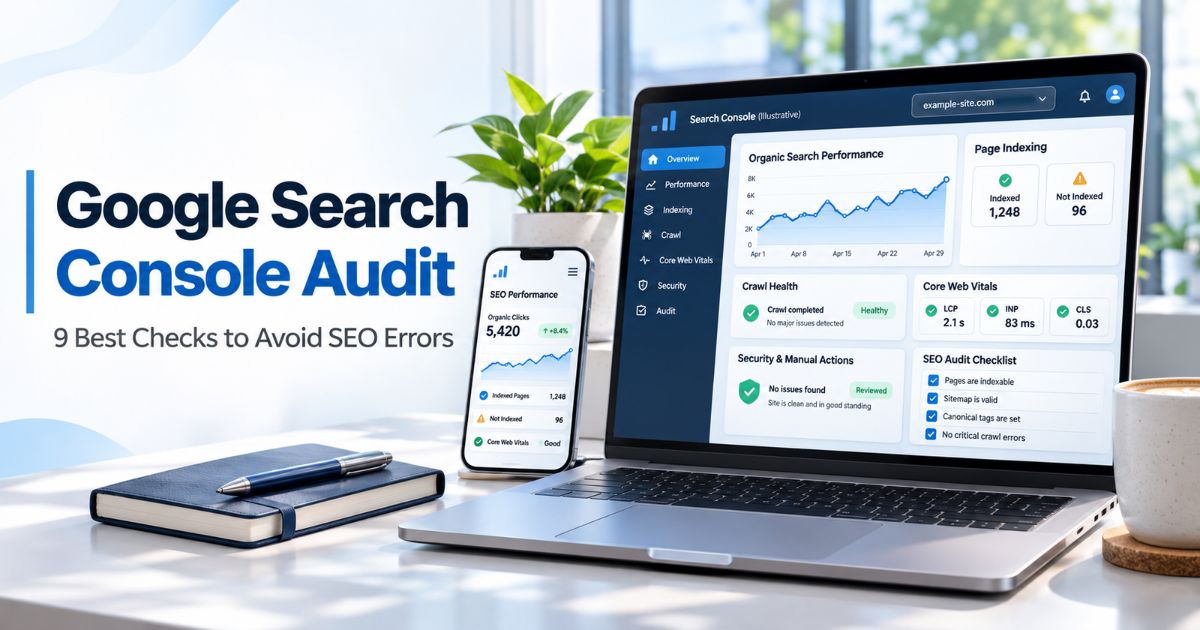
Google Search Console audit is a structured review of how Google discovers, crawls, indexes, and displays a website in search results. It helps website owners identify technical warnings, investigate performance changes, and prioritize improvements using Google’s own reports. However, the data must be interpreted carefully: a flagged URL is not always a problem, and a green status does not promise higher rankings.
A reliable Google Search Console audit starts with the correct website property, a defined date range, and a list of important URLs. It then examines security, crawl access, indexing, page experience, queries, internal links, and any relevant enhancements. This guide provides nine practical checks, decision tables, and a reusable audit template for WordPress sites and other websites.
For wider reporting context, explore our SEO Tools & Analytics resources and SEO reporting framework. Search Console can reveal valuable evidence, but full technical audits may also require server logs, a website crawler, analytics, and manual page testing.
Key Takeaways
- Verify the correct Domain or URL-prefix property and confirm permission before comparing reports.
- Check Manual Actions and Security Issues early, because they may require urgent action.
- Use Crawl Stats, the Sitemaps report, and live page tests to investigate access or discovery problems.
- Use the current Page indexing report and URL Inspection to understand why important URLs are indexed or excluded.
- Interpret LCP, INP, and CLS using real-user Core Web Vitals data, not outdated FID measurements.
- Segment Performance data by query, page, country, device, and search type rather than relying on total clicks alone.
- Review the Links report as a partial view of linking patterns; it does not classify every backlink or link attribute.
- Document evidence, priority, owner, fix, and verification result for every actionable finding.
What Is a Google Search Console Audit?
A Google Search Console audit is a repeatable inspection of a website’s Google Search health and performance. It brings together property settings, crawler information, indexed URL coverage, search queries, user-experience signals, and security reports. The goal is to identify problems supported by evidence and decide what should actually change.
Search Console does not provide a universal SEO grade. A page excluded because it redirects correctly is very different from an important sales page excluded by an accidental noindex directive. Likewise, a click decline could reflect weaker search demand, changed results, technical problems, or stronger competitors. The right diagnosis depends on context.
For a Google Search Console audit, distinguish discovery from crawling, indexing, and ranking. Google can know a URL exists without fetching it, fetch it without indexing it, or index it without showing it prominently for a particular query. Our site architecture guide explains how navigation can support discovery without guaranteeing a position.
Google Search Console Audit: 9 Practical Checks
1. Verify Property Setup, Access, and Reporting Scope
Begin the Google Search Console audit by selecting the property that actually represents the website you intend to review. A Domain property can include multiple protocols and subdomains after DNS verification, while a URL-prefix property covers the specific prefix configured. The wrong selection can make important pages appear missing from your results.
In your Google Search Console audit, check verified ownership and user permissions under Settings. The person performing the audit should have sufficient access to read the relevant reports. If a website recently migrated between HTTP and HTTPS, or changed hostnames, confirm that your historical comparison includes the right properties and time periods.
Next, record a baseline: audit date, property type, target market, site sections, critical URLs, and the previous period against which findings will be compared. New properties and low-traffic sites may lack enough historical data for some reports, particularly field-based experience metrics. Do not treat missing data as proof of excellent performance.
A Google Search Console audit is more useful when you assign page groups before opening dashboards: service pages, blog posts, categories, products, or language versions. These groups have different jobs. Our content mapping guide shows how to connect page purpose and user intent so an auditor does not treat every URL the same.
2. Prioritize Manual Actions, Security Issues, and Site-Wide Alerts
Before routine optimization, inspect the Manual Actions and Security Issues reports. A manual action is a confirmed Google enforcement notice for specific spam-policy issues; it is not the same as an ordinary algorithmic ranking change. Security Issues can indicate hacked content, deceptive pages, or other threats that need urgent investigation.
During a Google Search Console audit, read the exact message, affected examples, and recommended actions. Do not assume a traffic drop automatically means a manual penalty, and do not submit a reconsideration request when there is no manual action. If a genuine manual action exists, fix the problem and follow the report’s review instructions.
Check the messages and Overview areas for significant changes. Verify important HTTPS URLs work, but remember that Search Console does not replace a complete security scan or a full mixed-content assessment. If the site has been compromised, coordinate with hosting and security specialists to secure the installation before focusing on content tweaks.
A good Google Search Console audit records the severity, evidence, and escalation owner. For broader context on confirmed policy-related updates, use our Google spam updates guide, but never equate a named spam rollout with a confirmed manual action on your site.
3. Check Crawl Stats, Host Availability, Robots Rules, and Sitemaps
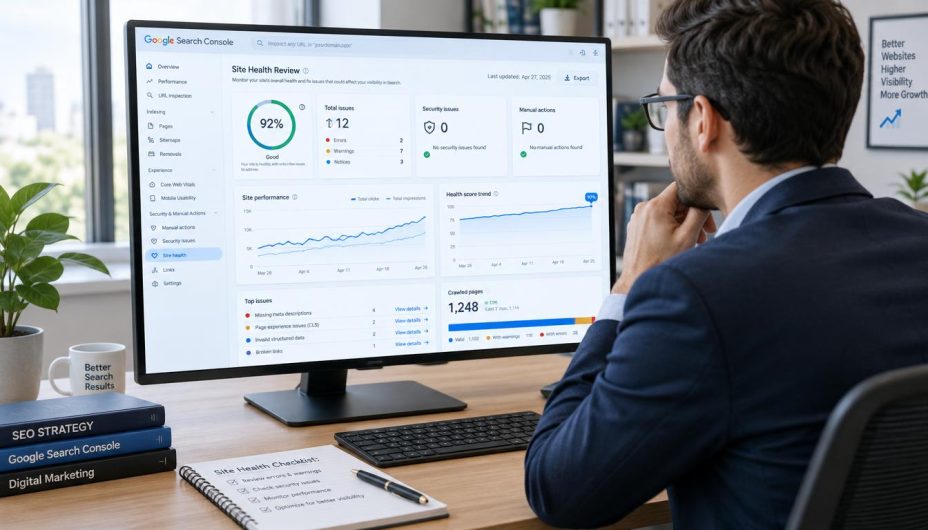
A Google Search Console audit should establish whether Googlebot can reliably reach important site sections. Review Crawl Stats for requests, response patterns, average response time, host availability, and unusual changes. The report helps identify trends, but a decline in requests does not automatically mean Google is punishing the website.
As part of the Google Search Console audit, investigate repeated server errors, timeouts, blocked requests, DNS issues, and unexpected robots.txt restrictions. Some 404 responses are normal for genuinely removed pages. Redirects can be appropriate after a move; the problem is when important user journeys break or long chains complicate access. Compare Search Console findings with real server logs and a website crawler when necessary.
For the Google Search Console audit, open the submitted sitemap list and check whether each relevant sitemap was processed successfully. A successful submission confirms sitemap processing, not indexing of every listed URL. Compare sitemap entries with the URLs you actually want discovered: live, preferred, indexable pages rather than missing or permanently redirected resources.
Remember that robots.txt controls crawling; it is not a dependable removal tool for Google Search. A URL blocked by robots.txt may still be known from external links, and blocking a page can prevent Google from reading an intended noindex directive. See our XML sitemap SEO guide and Technical SEO resources for related implementation decisions.
| Audit Item | What to Review | Possible Next Action |
|---|---|---|
| Crawl Stats | Request trends, host status, response distribution | Investigate sustained availability failures |
| Robots.txt | Whether critical public URLs are disallowed | Correct only unintended restrictions |
| Server responses | 5xx errors, timeouts, unnecessary redirect hops | Fix the origin or delivery layer |
| Sitemaps | Processing status and preferred URLs | Remove stale URLs and repair invalid entries |
4. Audit Page Indexing, Canonical Selection, and URL Inspection
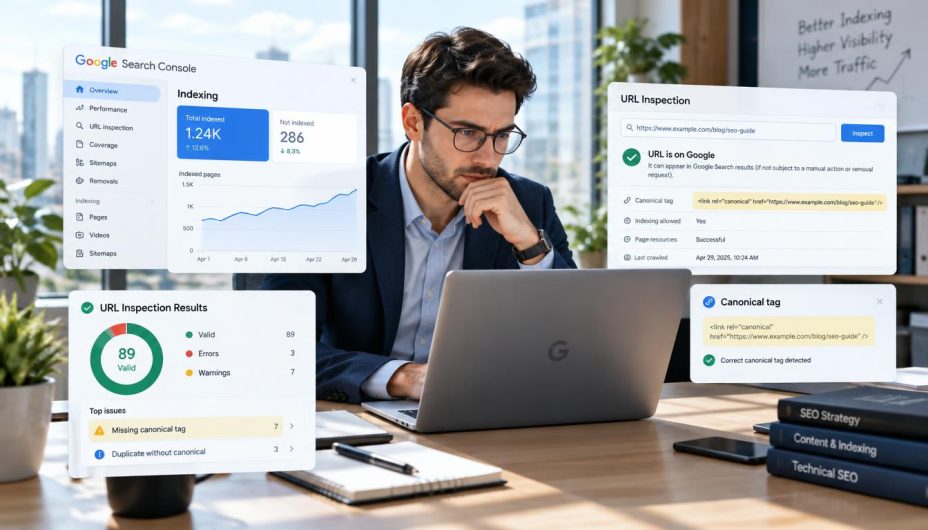
The current Page indexing report is essential to a Google Search Console audit. It groups known URLs into indexed and not-indexed states and provides reasons why pages may be excluded. Do not rely on older tutorials that use an obsolete four-bucket Coverage report as though it were the current interface.
Not every excluded URL needs correction. A redirecting URL, a duplicate alternate, or a deliberately noindexed thank-you page can have the intended status. Prioritize important public pages that should be indexable but are not, especially when the cause is an accidental robots directive, server error, or incorrect canonical preference.
For a Google Search Console audit, select representative URLs from each significant issue group and use URL Inspection. Compare the Google-selected canonical and user-declared canonical when available, the indexing verdict, last known crawl details, and the current live response. A live inspection describes present accessibility; it does not always show that the live version has already been indexed.
For the Google Search Console audit, check JavaScript rendering when key page information is missing. Inspect whether the rendered content includes the intended heading, body text, internal links, and page details. Also examine whether indexable filtered or paginated URLs have meaningful distinct content. Our canonical versus noindex guide and pagination reference explain the relevant decisions.
Google’s official Page indexing report documentation states that 100% indexing coverage is not the goal. The goal is having the appropriate preferred pages indexed. This distinction keeps the audit focused on real business and user value rather than the size of an exclusion list.
5. Evaluate Core Web Vitals, HTTPS, and Page Experience
Core Web Vitals help describe real-user loading, responsiveness, and visual stability. The current measurements are Largest Contentful Paint (LCP), Interaction to Next Paint (INP), and Cumulative Layout Shift (CLS). INP replaced First Input Delay (FID); do not use older FID reports as if they were the current Core Web Vitals standard.
During a Google Search Console audit, review mobile and desktop URL groups separately. The report uses real-user data when enough observations exist and identifies groups as Good, Needs improvement, or Poor. A new or low-traffic URL may not appear because the required field data is unavailable. That does not mean the URL is fast or slow by definition.
Recommended good thresholds are generally LCP at or below 2.5 seconds, INP at or below 200 milliseconds, and CLS at or below 0.1 at the 75th percentile of page views. Use those measurements to find patterns across templates rather than promising that crossing a threshold will automatically improve rankings. The Google Search Console audit should distinguish field observations from synthetic lab tests, which can help diagnose a specific performance bottleneck.
In a Google Search Console audit, inspect slow images, blocking scripts, layout shifts, heavy third-party widgets, and unresponsive interactions. Validate important fixes on the real page experience, not simply a plugin’s score. Keep HTTPS and mobile usability in your editorial and technical checklist even when they are not all represented by one combined Search Console report.
The official Google Core Web Vitals report guide explains URL groups, field-data limits, and current metrics. The broader technical SEO audit resource helps organize findings across hosting and page design. For a Google Search Console audit, treat Core Web Vitals as a meaningful experience signal—not a complete measure of content quality or guaranteed search position.
6. Analyze Search Performance by Query, Page, and Market
Use the Performance report to investigate Google Search clicks, impressions, click-through rate (CTR), and average position. A Google Search Console audit should compare comparable date ranges, with attention to data freshness, seasonality, content launches, and significant website changes. One-day fluctuations can mislead even when the chart looks dramatic.
During the Google Search Console audit, break down the data by pages, queries, countries, devices, and search appearance where the available report permits. Look for a meaningful pattern: an important page losing clicks across many relevant queries, impressions dropping for a topic cluster, or a high-impression page whose displayed title may no longer match search intent. Do not assume every low CTR can be fixed by rewriting the meta description.
For a Google Search Console audit, review branded and non-branded demand separately when feasible. A surge in branded searches may follow advertising or publicity rather than a change in organic page quality. Likewise, lower impressions can result from shrinking search demand, not necessarily a penalty.
Search Console clicks and GA4 organic sessions are different metrics. Use consistent scope and definitions when reconciling them, and track qualified leads or purchases in your business systems where possible. Our organic SEO metrics guide explains those distinctions, while our SEO forecasting guide describes why projected clicks are uncertain.
Pages appearing around a particular average position can be worth inspecting, but ranking ranges are not guaranteed opportunities. Search intent, result features, competition, and the quality of the page matter. A strong Google Search Console audit records the hypothesis behind a proposed update rather than saying every URL in positions 4–15 should be rewritten.

7. Review Internal Links, External References, and Report Limits
The Links report summarizes examples of pages with internal links, external linking sites, and other link patterns known to Google. It is helpful for discovering which important pages have little internal visibility and which articles attract outside references. However, it is not a complete website crawler, link-quality certification tool, or exhaustive backlink history.
In a Google Search Console audit, compare your important commercial and informational pages with their internal-link coverage. If a critical guide is poorly connected, add helpful contextual links from relevant pages and navigation. Also test that those links actually resolve to the intended preferred URLs. Our crawlable architecture guide provides practical internal linking principles.
A Google Search Console audit should not assign every unknown external domain a spam label. The report does not reliably identify the purpose of each placement or every rel attribute. Paid, affiliate, and user-generated links should be evaluated through their actual source and HTML context rather than inferred from aggregate counts.
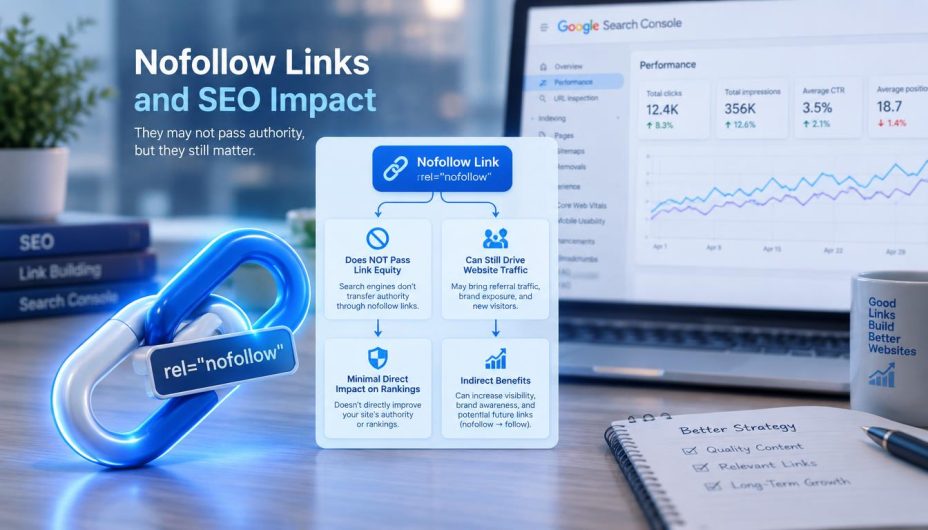
For a Google Search Console audit that includes link reviews, a nofollow value is not a dependable noindex tool, and a nofollow link can still send human visitors. If you need a deeper source-by-source backlink investigation, use a separate crawler or link research process. Our editorial sourcing policy and measurement resources help keep reference quality and performance analysis distinct.
Record whether the problem is a broken destination, an orphaned page, irrelevant anchor wording, or an actual paid-link policy concern. The first three issues may be straightforward site maintenance tasks; the last requires context and careful judgment, not an automated disavow reaction.
8. Check Enhancements, Structured Data, and Discover Separately
Relevant Search Console enhancement reports can reveal structured-data validation errors and other eligibility issues. The exact reports depend on the content types Google detected. An enhancement issue may affect a rich-result feature without making the underlying HTML page ineligible for ordinary indexing.
For a Google Search Console audit, validate any structured data against visible page content and the requirements of the specific feature. Do not add unsupported FAQ or HowTo markup merely to chase an SEO plugin score. Similarly, do not assume that a warning in a product markup report means the entire site has lost organic rankings.
Review Discover or Google News reports separately when your property has enough qualifying activity for those reports to appear. Discover often fluctuates differently from normal web search and should not be mixed into one organic search chart without explaining the source. Our Google Discover SEO guide explains its separate reporting context.
If visibility changes during a confirmed Google update, log the dates and compare the actual affected page groups before drawing conclusions. Our Google update tracker and Search Updates category provide context, but an announcement does not prove it caused a particular site’s decline. Any Google Search Console audit should separate evidence from speculation.
9. Prioritize Fixes, Assign Owners, and Verify Outcomes
The final Google Search Console audit step is turning observations into a usable issue tracker. Include each affected URL or template, the report where it was found, supporting evidence, priority, owner, proposed action, expected user impact, and verification date. High-severity security or sitewide crawl errors deserve different treatment from a cosmetic title rewrite.
For a Google Search Console audit, assign urgent priority to compromised pages, severe hosting failures, accidental sitewide noindex rules, or blocked critical URLs. Medium priority may include repeatable template-level Core Web Vitals problems or broken internal navigation affecting important sections. Low priority may include harmless duplicate URLs or minor enhancements on pages that otherwise function properly.
After a Google Search Console audit fix is implemented, test the live URL and record what changed. Search Console may continue displaying a historical state until Google recrawls or reporting updates. Do not declare a successful indexing fix simply because an editor checkbox changed. A Google Search Console audit is complete only when each important recommendation has an owner and an appropriate follow-up plan.
A useful audit summary also includes decisions not to change something. For example, a correctly redirected URL is usually not an issue, while a valid canonical alternate can be an expected exclusion. Our SERP volatility guide and core update diagnostic guide can help when traffic declines have several plausible causes.
For longer-term planning, review the LLMO technical accessibility checklist as a related resource, but do not present Google Search Console metrics as a complete measure of visibility in every AI product. Different systems provide different reporting data.
Google Search Console Audit Issue Priority Matrix
| Priority | Example | Recommended First Action |
|---|---|---|
| Critical | Manual action, hack warning, entire important section unavailable | Escalate and confirm the exact affected scope |
| High | Accidental noindex, critical server failures, important URLs blocked | Correct access or indexing controls and retest |
| Medium | Repeated poor Core Web Vitals groups, weak internal discovery | Fix shared templates and important navigation paths |
| Low | Expected duplicates, harmless redirect exclusions, minor markup warnings | Document and monitor, avoiding unnecessary changes |
Reusable Audit Tracking Sheet Fields
For each finding in your Google Search Console audit, record the property, report, exact page or URL pattern, observation date, affected count when trustworthy, business importance, evidence, suspected cause, owner, recommended fix, review status, and verification result. Keep raw observations separate from proposed explanations.
A practical workflow can use four statuses: To investigate, Approved for fix, Implemented, and Verified. A technical change should not be called verified until its intended live behavior has been checked. Use the technical SEO audit presentation resource to turn those findings into a decision-ready report.
Google Search Console Audit Checklist Before Publishing the Report
- Verify the property scope, owner access, reporting dates, and market.
- Check Manual Actions, Security Issues, and important notifications.
- Review Crawl Stats, host availability, robots restrictions, and sitemap processing.
- Inspect Page indexing trends and sample the most important excluded URLs.
- Compare user-declared and Google-selected canonicals where available.
- Review Core Web Vitals using current LCP, INP, and CLS data.
- Segment performance by query, page, country, device, and search type.
- Assess internal linking patterns and note the limits of the Links report.
- Check applicable enhancement reports and Discover separately.
- Assign severity, evidence, owner, fix, and verification date.
- Confirm that recommended changes match actual user and business needs.
- Retest live URLs and monitor reports after Google has had time to process changes.
Frequently Asked Questions
What is a Google Search Console audit?
A Google Search Console audit is a systematic review of a website’s Google Search access, indexing, performance, user-experience reports, links, and security notices. It helps identify issues that deserve further investigation or correction.
Is Google Search Console enough for a complete technical SEO audit?
No. Search Console provides valuable Google-side data but cannot replace full website crawling, server-log analysis, security testing, analytics, and manual content evaluation. Combine tools based on the issue being investigated.
How often should I run a Search Console audit?
Review urgent security and availability issues promptly. A recurring monthly or quarterly review can be practical for many sites, with extra checks after migrations, template changes, or significant traffic shifts.
What is the difference between Page indexing and URL Inspection?
Page indexing summarizes status and reasons across known URLs, while URL Inspection shows details for an individual page and can test current live accessibility. Both help diagnose different levels of a problem.
Should every URL in Search Console be indexed?
No. Redirects, duplicates, and intentionally excluded utility pages may correctly remain outside the index. Focus on whether the site’s preferred, useful pages are eligible and appropriately indexed.
Which Core Web Vitals should I check?
The current three metrics are Largest Contentful Paint, Interaction to Next Paint, and Cumulative Layout Shift. Review mobile and desktop results separately, recognizing that insufficient field data may leave some URLs unreported.
Does Search Console show every backlink and its nofollow attribute?
No. The Links report is a partial view of known link patterns, not a complete backlink quality or attribute audit. Inspect actual source pages when a specific link relationship matters.
Can requesting indexing guarantee a Google ranking?
No. Requesting indexing may prompt consideration for crawling, but Google independently decides whether to index and how to rank a page. Strong content, technical eligibility, and user relevance still matter.
What should I do when a report shows a manual action?
Read the exact notice, fix the confirmed policy issue, document changes, and use the reconsideration workflow provided for that manual action. A normal traffic decline without a notice is not a manual action.
How do I decide which audit issue to fix first?
Prioritize by severity, affected important pages, reliability of the evidence, expected user impact, and the resources required. Fix genuinely critical access and security problems before chasing cosmetic plugin warnings.
Conclusion
A careful Google Search Console audit converts Google’s reporting data into evidence-based website improvements. Verify access, investigate security and crawl behavior, inspect indexing decisions, review real-user experience, analyze relevant search trends, and check linking and enhancements in context.
Keep a record of fixes and retest actual URLs rather than assuming every excluded page or warning is harmful. A repeatable Google Search Console audit is most useful when the team can explain what changed, why it mattered, and how the result will be verified. For ongoing guidance, visit the Online SEO Blogs homepage.