
Canonical vs Noindex: 7 Essential Rules for SEO
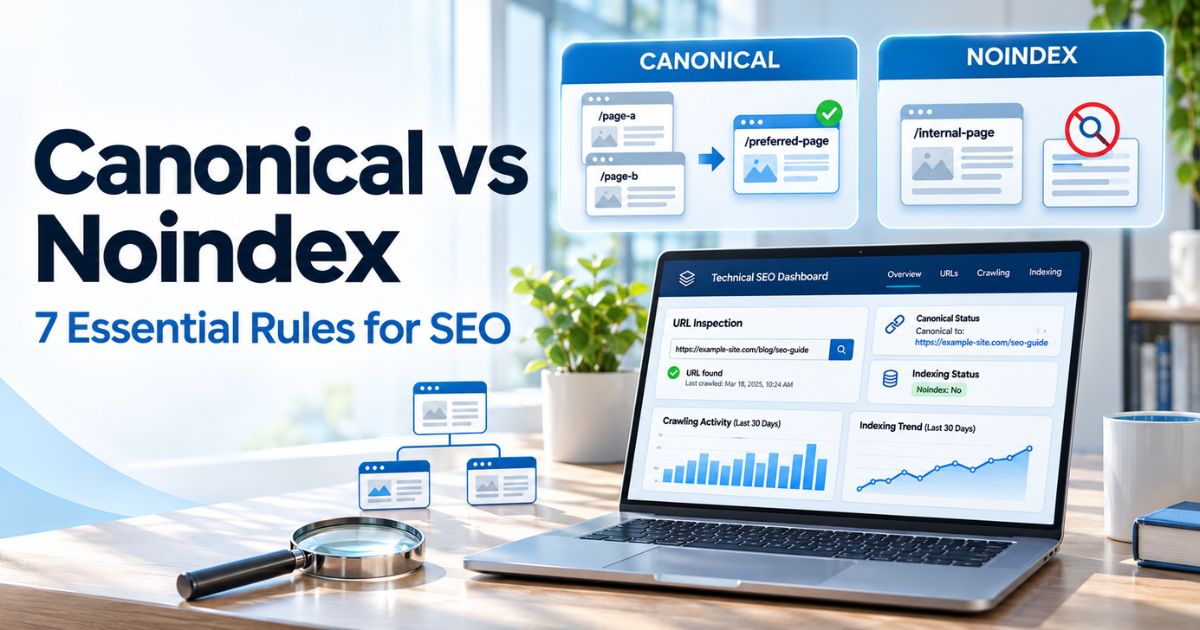
Canonical vs noindex is one of the most important distinctions in technical SEO. A canonical annotation tells Google which URL you prefer when pages contain duplicate or very similar content. A noindex rule tells a supporting search engine not to include a particular accessible page in its search results. Choosing the wrong option can hide important content or send conflicting signals about which URL should appear.
The canonical vs noindex decision comes up during website migrations, ecommerce filtering, WordPress archive management, product variations, and technical audits. This guide explains seven practical rules, demonstrates valid implementation examples, and shows how to check the outcome in Google Search Console. For a broader foundation, read our practical SEO improvement guide.
Key Takeaways
- For canonical vs noindex decisions, use a canonical annotation when two or more URLs contain duplicate or substantially similar content and you want to identify a preferred version.
- Use noindex when an accessible page should not appear in Google Search at all.
- Canonicalization is a strong preference signal, not a binding instruction; noindex is an indexing rule when Google can access it.
- Avoid relying on canonical and noindex together to consolidate duplicate URLs.
- Do not block a noindexed URL in robots.txt if Google still needs to read its noindex directive.
- Place indexing directives in the HTML head or appropriate HTTP headers, not in ordinary article paragraphs.
- Check Google-selected canonicals and indexing decisions through URL Inspection before claiming a problem is fixed.
Canonical vs Noindex: What Is the Difference?
Canonical vs noindex describes two different kinds of search-engine signals. A rel="canonical" link element expresses a preference for one representative URL among duplicate or highly similar pages. Google may take that signal into account alongside redirects, internal links, sitemap entries, and other evidence, but it can still choose another canonical URL.
A noindex robots directive does something different: it instructs supporting crawlers not to show the affected page in search results after they can access and process the rule. It does not say that another page should inherit ranking signals, nor does it make the content private or inaccessible to visitors.
In a canonical vs noindex audit, start with the desired outcome: Which version should Google show? is a canonicalization question. Should Google show this page at all? is an indexing-control question. Our Technical SEO guides cover related crawling and indexability topics.
| Question | Canonical | Noindex |
|---|---|---|
| Main purpose | Choose a preferred URL among duplicates | Exclude an individual URL from search results |
| Google’s treatment | Strong hint, not a guaranteed selection | Indexing rule, provided it is read |
| Typical use | Tracking parameters and similar product variants | Thank-you pages or intentionally excluded resources |
| Link-signal consolidation | May help consolidate duplicate-page signals | Does not designate a replacement URL |
| Must be crawlable? | Google needs to process the signals | Yes, so Google can read the rule |

7 Essential Canonical vs Noindex Rules
1. Use Canonical for Duplicate or Very Similar URLs
Imagine an ecommerce product page available at https://example.com/blue-shirt/ and https://example.com/blue-shirt/?utm_source=newsletter. When both URLs contain the same primary content, a canonical annotation on the parameter version can point toward the clean product URL. This helps Google understand the preferred address without removing the useful product from search.
For canonical vs noindex decisions involving duplicates, confirm that the pages are truly equivalent from a searcher’s perspective. Do not canonicalize a genuinely different product, service area, or article to an unrelated page simply because their templates look alike. Google can ignore a canonical preference when the content or other signals do not support it.
In a canonical vs noindex review of duplicate URLs, first compare the primary content of the pages before changing tags. A self-referencing canonical on the preferred page can reinforce consistency. Also use the preferred URL in internal links and XML sitemaps. Our site architecture guide explains why navigation and linking should align, while the XML sitemap SEO guide covers preferred URL discovery.
2. Use Noindex When a Page Should Be Excluded Entirely
A confirmation or thank-you page after a completed form may be useful to visitors but not a page you want appearing in Google Search. In that case, a noindex directive can be appropriate. Other candidates may include specific low-value internal search result pages or temporary public resources that should remain accessible by direct link but not searchable.
The canonical vs noindex choice changes when the page has no true equivalent elsewhere. A page with unique content cannot be made a duplicate simply by pointing its canonical tag at a homepage. For guidance on matching content to a distinct query, see our keywords and search intent explainer. If the goal is to keep that page out of Search, consider noindex instead of an irrelevant canonical.
This canonical vs noindex distinction matters for public confirmation pages and internal utility pages that have no real canonical counterpart. Do not confuse noindex with privacy protection. Anyone who has the URL may still open an unprotected page, and other services may access it. Sensitive invoices, employee records, and private downloads need authentication or other access controls. For routine review processes, use our SEO tasks checklist.
3. Avoid Mixing Canonical and Noindex on the Same Duplicate
One common canonical vs noindex mistake is putting a canonical pointing to page A and a noindex directive on page B, hoping to get the benefits of both. Google’s guidance recommends canonical link annotations rather than noindex when your purpose is to choose a canonical within a site. A noindex rule can remove the duplicate from Search before the relationship is handled as expected.
The safest canonical vs noindex approach is to select the rule matching one clear goal. In a typical duplicate-content case, choose a canonical annotation or a suitable redirect according to the user experience you want. In a true exclusion case, use noindex without assuming link signals will consolidate into another page. Combining them is technically possible, but it is not a reliable default SEO strategy.
Canonical vs noindex decisions are particularly consequential during A/B tests, migrations, and product URL changes. First identify whether you are keeping multiple URLs available or retiring one. Then document the intended behavior so a plugin or template change does not create contradictory rules. For a full review process, refer to our technical SEO audit framework.

4. Make Sure Google Can Read the Noindex Directive
Google must be able to crawl a URL to discover a noindex meta tag or HTTP header. A robots.txt disallow rule can prevent that access. As a result, Google may still show the blocked URL based on references from elsewhere without seeing the rule that tells it not to index the page.
For canonical vs noindex troubleshooting, distinguish crawl control from indexing control. Robots.txt manages crawler access; noindex instructs a supporting search engine not to retain an accessible page in results. A sitemap helps with discovery, while a canonical annotation suggests a preferred duplicate. These tools solve related but different problems. A search visibility issue may also involve the competitive landscape rather than a directive; compare our ranking competition guide.
For canonical vs noindex audits, always test whether crawler access and indexing instructions agree. When removing a URL from results, make the noindex rule visible to Googlebot and check that the page is accessible enough for Google to fetch it. Changes may take time to be reflected. For background on the difference between discovery and indexing, see the SEO tools and analytics resources and our SEO metrics guide.
5. Implement Canonical and Noindex in the Right Location
The canonical vs noindex implementation depends on the file type and the outcome you need. For an HTML page, a canonical link element belongs in the document’s <head>, not inside the visible article body. A noindex meta robots tag also belongs in the HTML head. For certain non-HTML files, such as PDFs, relevant indexing directives can be sent through HTTP response headers.
Canonical HTML example: The following source code shows a duplicate page naming its preferred URL:
<link rel="canonical" href="https://example.com/preferred-page/" />Noindex HTML example: Use this only when the current page should not be indexed:
<meta name="robots" content="noindex" />HTTP header example: A server can send the following header for an accessible PDF that should not appear in search results:
X-Robots-Tag: noindexThese snippets are educational examples, not code to paste into the WordPress Classic Editor’s article body. Configure them through the SEO plugin, theme, server, or appropriate HTTP response settings. In a WordPress installation using Rank Math, inspect the post’s Advanced settings for robots directives and canonical URL preferences, and verify the actual rendered source afterward.
The practical lesson is to test the rendered output rather than relying only on editor settings. For a canonical vs noindex implementation, do not set conflicting canonical targets across the page, sitemap, redirect, and plugin settings. An HTML tag pointing to one page while the redirect points elsewhere makes your preference harder to interpret. The SEO reporting guide provides a framework for documenting what changed and when.

6. Handle Ecommerce Filters and Pagination Carefully
Product catalogs often create multiple URLs for sorting, color filters, tracking parameters, and paginated collections. International stores may also maintain localized versions; our international search research guide explains when regional intent deserves distinct content. The correct canonical vs noindex decision depends on whether the URL provides a distinct search-useful destination or only repeats another page’s main content. There is no universal instruction to noindex every filter or canonicalize every variation.
For example, a tracking parameter that changes nothing meaningful about a product page is a normal canonicalization candidate. A category filtered to an important product type may deserve a separately indexable landing page when it serves a genuine search need. An empty combination of several filters might not be useful in search, and its crawl strategy should be planned according to site size and behavior.
For canonical vs noindex decisions about pagination, examine whether deeper URLs show unique items before choosing a rule. Paginated series require extra care. If page two shows a different set of products or articles, it is not simply a duplicate of page one; canonicalizing the entire series to the first page can make deeper content harder to discover. Our canonical pagination guide explains when self-referencing canonicals and crawlable next-page links make more sense.
For canonical vs noindex reviews across large catalogs, evaluate representative URL patterns rather than relying solely on a plugin warning. Include internal architecture and actual user journeys in the audit. The content mapping guide can help decide whether a filtered or geographic page answers a distinct intent.
7. Verify the Outcome in Google Search Console
Include canonical vs noindex checks in your recurring technical review rather than investigating only after rankings move. After implementing changes, use Google Search Console’s URL Inspection tool to review the affected page. Compare the user-declared canonical with the Google-selected canonical, examine crawl and indexing details, and check whether a noindex directive was observed. Also review the Page indexing report for patterns affecting important site sections.
A canonical vs noindex fix is not complete merely because a plugin displays the expected setting. Check the live response, page source, HTTP status, and robots accessibility. Google may choose a different canonical even when your annotation is valid, and newly added noindex rules require recrawling before results change. If organic traffic also declines, evaluate other causes instead of attributing every loss to indexing; our core update diagnostic guide offers a broader framework.
Use the official Google canonicalization guidelines and Google noindex implementation documentation for the authoritative technical details. To monitor changes over time, follow our SEO resource collection and review relevant reports rather than assuming each indexing issue is a ranking penalty.

Canonical vs Noindex: Practical Decision Table
This canonical vs noindex table illustrates common cases. Always confirm page purpose and technical behavior before applying sitewide rules.
| Situation | Usual Approach | Reason |
|---|---|---|
| Duplicate URL with campaign tracking parameters | Canonical to clean equivalent | Communicates the preferred version |
| Product color URL with near-identical main content | Evaluate a canonical to preferred product URL | Similar variants may belong in one cluster |
| Public thank-you page not intended for search | Noindex | Exclude the page without inventing a duplicate |
| Private customer records | Authentication or access restriction | Noindex is not a privacy tool |
| Paginated page with different items | Usually self-referencing canonical if indexable | Different list pages are not straightforward duplicates |
| Old URL permanently replaced by a new one | Permanent redirect where appropriate | Directs users and strong canonical signals to the replacement |
| Important original article intended to rank | Indexable, generally self-canonical | Keep the preferred page eligible for discovery |
Common Canonical and Noindex Mistakes
- Using noindex for duplicate consolidation: This excludes a URL instead of identifying a preferred equivalent.
- Blocking a noindex page in robots.txt: Google might not be able to read its indexing rule.
- Pointing canonicals to unrelated URLs: Content equivalence matters to Google’s selection.
- Mixing contradictory signals: Different canonical targets in redirects, markup, and sitemaps create confusion.
- Canonicalizing all paginated URLs to page one: Deeper pages may contain distinct items worth discovering.
- Assuming noindex protects sensitive information: A page can remain publicly accessible outside search.
- Changing published URLs only for a plugin score: Unnecessary moves can break links and complicate tracking.
- Expecting instant reindexing: Google needs time to crawl and process updates.
Canonical vs Noindex SEO Audit Checklist
A clear canonical vs noindex checklist should record the intended search behavior for every affected URL before any changes go live.
- List priority pages and duplicate URL patterns.
- Decide whether each URL should appear in search or represent another URL.
- Check response codes, redirects, and the actual HTML head.
- Confirm indexable preferred pages do not accidentally contain noindex.
- Confirm noindex pages are accessible for Googlebot to read the directive.
- Remove conflicting canonical values from themes, plugins, and headers.
- Link internally to preferred canonical addresses.
- Keep indexable preferred URLs in XML sitemaps where appropriate.
- Inspect affected URLs and compare declared with Google-selected canonicals.
- Document changes and revisit the results after recrawling.
Frequently Asked Questions
What is the main difference between canonical and noindex?
A canonical annotation expresses a preference for one representative URL among duplicate or similar pages. Noindex tells supporting search engines not to include the current page in search results after they can read the rule.
Can I use canonical and noindex on the same page?
They can technically coexist, but combining them is usually not the right method for duplicate consolidation. A canonical vs noindex review should begin with the intended result. If you want a preferred duplicate, use canonicalization; if you want the current page excluded, use noindex.
Does a canonical tag guarantee Google will index the selected URL?
No. Canonical is a strong signal, but Google can choose a different representative URL. The preferred URL still needs to be accessible, indexable, and useful.
Can Google index a page blocked by robots.txt?
Google may show a blocked URL based on references elsewhere, even without crawling its content. Robots.txt is not a dependable method for removing a URL from search results.
Should I noindex duplicate product pages?
Not automatically. For truly duplicate or very similar product URLs, canonicalization is often the better match. Evaluate unique variants and filtering needs before applying a bulk rule.
Where should I add noindex and canonical settings in WordPress?
Use the SEO plugin or an appropriate site-level configuration to output the directive in the HTML head or HTTP response. Do not paste active head directives inside a blog article’s content editor.
Does noindex stop people from opening a page?
No. Noindex controls search inclusion for supporting crawlers. Use authentication, permissions, or other access restrictions for confidential information.
How can I confirm a canonical or noindex change worked?
Review the live page’s source and response headers, then use URL Inspection in Google Search Console. Allow for recrawling and confirm the reported indexing state and selected canonical.
Conclusion
Canonical vs noindex is ultimately a decision about intent. For ongoing research beyond this article, the SEO article library collects relevant technical and content guides. Use canonicalization to express which of several equivalent URLs you want search engines to favor. Use noindex when an accessible page should not be eligible to appear in search results.
A documented canonical vs noindex policy helps prevent conflicting changes across templates. Keep the signals consistent, verify Googlebot can read the relevant directives, and test real URLs rather than trusting a single plugin checkbox. For ongoing maintenance, review the content SEO resources and the Online SEO Blogs homepage for related technical guides.